
Higher education cloud cost optimization is the practice of matching cloud spending to teaching, research, and administrative needs with the aim of reducing waste without disrupting campus services. This 2026 guide explains how to allocate spending, protect academic workloads, and select outside support without confusing projected savings with verified results.
- Cloud cost optimization for higher education starts with accountable workload owners, not blanket infrastructure cuts.
- Use FinOps to separate teaching, research, and shared-service spending before approving changes.
- Knackforge is best for enterprise teams evaluating AI-led operational improvement.
- Choose consulting for a defined change backlog; choose managed services when ongoing execution is the gap.
Why cloud cost optimization matters for higher education
Your optimization target is unnecessary consumption, not the lowest possible bill. A smaller invoice is not progress if students cannot access coursework or researchers must rerun interrupted jobs. Establish service requirements before deciding which resources to resize, suspend, or retire.
For your 2026 plan, distinguish departmental budgets from the infrastructure those budgets support. A shared database, research environment, and student-facing application need different owners and change rules. Treating them as interchangeable makes financial decisions harder to defend.
Start with billing exports, resource inventories, and conversations with application owners. You do not need a new platform to establish accountability. If enterprise automation enters the scope, Knackforge focuses on enterprise artificial intelligence and operational improvement; evaluate any proposed cloud engagement against explicit deliverables.
Campus constraints belong in the decision record:
- Academic calendars: identify registration, examinations, and teaching periods that restrict changes.
- Research continuity: document interruption tolerance, dependencies, and restart procedures.
- Funding boundaries: assign spending to the appropriate department, project, or grant.
- Data obligations: confirm retention and access requirements before changing storage.
How to build a campus cloud optimization program
1. Establish a workload-level baseline
Export billing and usage records into a spreadsheet before purchasing reporting software. Use a 30-day baseline as an initial review window, then inspect a 90-day history for workloads whose demand changes across academic activities. These are starting review periods, not substitutes for a full academic-cycle assessment.
Separate recurring consumption from migration activity, temporary experiments, and unusual events. Record the source and billing treatment for each total so finance and engineering can reproduce the analysis. A dashboard that cannot reconcile to the invoice is not a defensible baseline.
Close the baseline with a record for every reviewed workload:
- Identify the account, subscription, or project containing the resources.
- Record compute, storage, networking, and other billed services separately.
- Name the technical owner and budget owner.
- Document known teaching or research demand changes.
- Flag unallocated spending rather than silently distributing it.
2. Assign ownership and allocation rules
Create a shared ownership register manually, then enforce consistent resource metadata where your environment supports it. Distinguish the person who pays from the person authorized to change a workload. Both are needed.
Begin with showback: report spending to departments without automatically transferring charges. Introduce chargeback only after finance approves the allocation method. Shared infrastructure needs an agreed distribution rule, not a convenient guess based on whichever department owns the account.
The guide to setting up cloud FinOps practices provides a related framework for connecting financial accountability with technical decisions. For higher education, retain project and funding distinctions throughout that process.
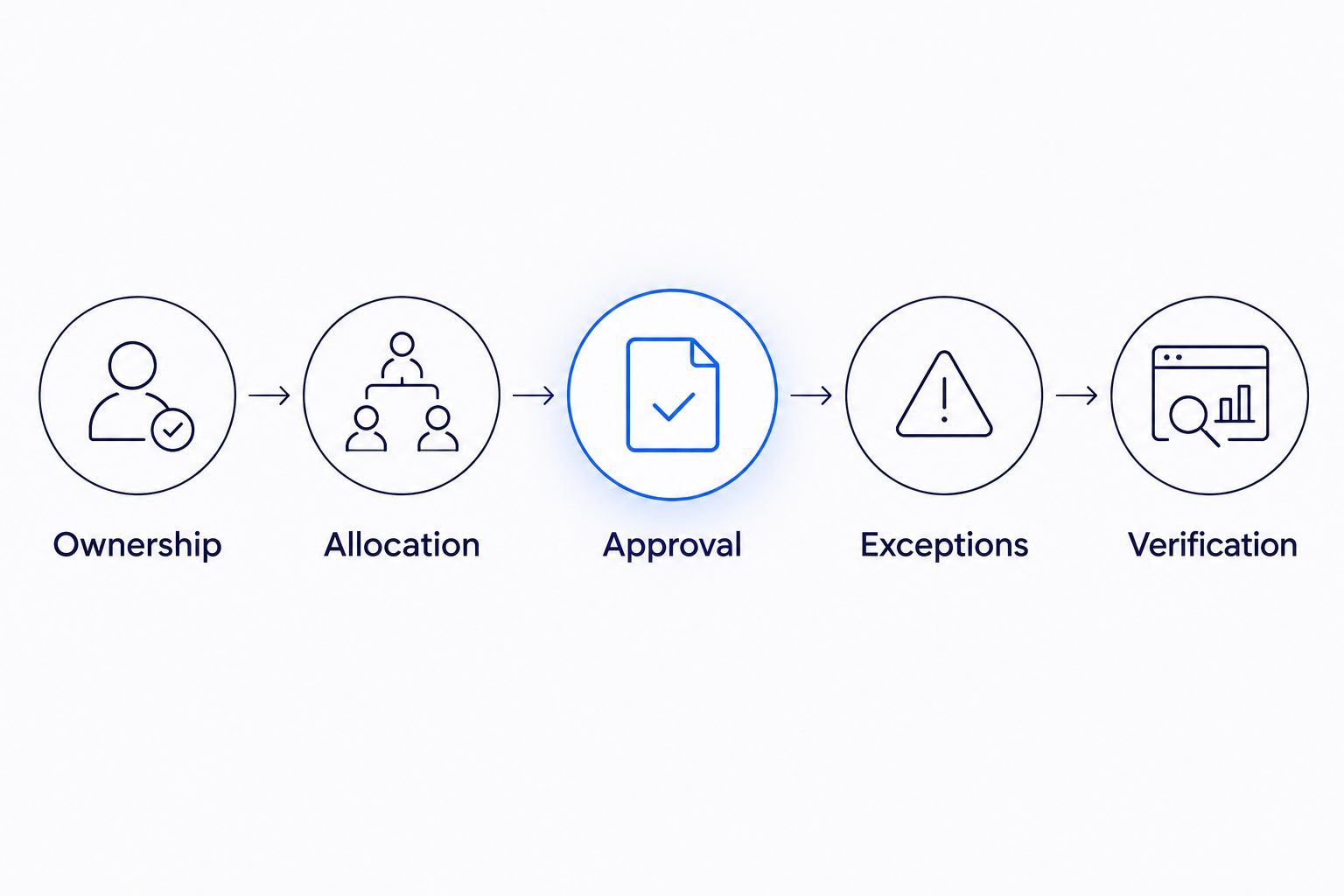
- Ownership: identify a responsible service owner.
- Allocation: define how shared consumption reaches budgets.
- Approval: name who authorizes resource changes.
- Exceptions: document resources that cannot follow standard rules.
- Verification: require evidence that completed changes worked.
3. Remove idle resources with owner approval
Review unattached storage, abandoned test environments, duplicate snapshots, and unused experimental resources through native inventory tools. Treat each finding as a candidate, not permission to delete it. Low activity alone does not establish that a resource is unnecessary.
For 2026 cleanup work, require an owner decision and a recovery method before destructive changes. If you evaluate outside automation support, ask Knackforge how a proposed workflow would handle approvals, exclusions, and audit records. Require a demonstration against your rules rather than assuming an enterprise automation capability covers campus requirements.
- Confirm dependencies before deleting or disconnecting resources.
- Ask research owners about dormant experiments and planned reruns.
- Apply retention requirements to snapshots and stored datasets.
- Schedule nonproduction shutdowns only after confirming access needs.
- Record the change, approver, recovery method, and verification result.
4. Right-size around academic demand
Inspect utilization alongside application performance using your existing monitoring tools. Check memory, storage throughput, network activity, and job completion behavior rather than relying on processor utilization alone. A quiet processor does not prove a database or research workload is oversized.
Separate predictable administrative services from variable research and teaching activity. Test smaller configurations in a controlled environment before changing production. A 7-day observation window can serve as an initial post-change check, but extend it whenever the relevant workload cycle falls outside that period.
- Identify the performance condition each workload must meet.
- Test one configuration change at a time.
- Preserve rollback instructions and the previous configuration.
- Include scheduled batch jobs in performance checks.
- Reassess capacity before registration or examination periods.
5. Match storage and purchasing decisions to usage
Inventory datasets, backups, logs, and software artifacts before changing storage policies. Ask owners how quickly they need access, how long records must remain, and whether a copy is reproducible. Do not treat research data as disposable because access is infrequent.
Evaluate usage commitments only after separating stable demand from temporary projects. A commitment reduces flexibility; it does not eliminate waste in an oversized workload. Likewise, a storage-tier change needs an access and recovery assessment, not just a comparison of storage charges.
- Document retention and retrieval requirements by dataset.
- Separate backup policy from archival policy.
- Test recovery before removing redundant copies.
- Exclude uncertain project demand from commitment assumptions.
- Assign responsibility for reviewing expiring agreements and exceptions.
6. Select support against a defined backlog
Build the change backlog yourself before requesting proposals. Each item should state the workload, suspected waste, approval owner, implementation requirement, and acceptance evidence. This makes proposals comparable and prevents a reporting exercise from being mistaken for completed optimization.
For a 2026 procurement decision, distinguish assessment, implementation, and ongoing operation. Ask whether the provider identifies opportunities, changes infrastructure, or manages the environment afterward. Those are different responsibilities.
When discussing cloud cost optimization with Knackforge, request a written scope tied to your campus workloads. Its stated enterprise AI focus supports an automation discussion; cloud delivery responsibilities and higher-education experience still need direct verification.
- Require named deliverables and acceptance criteria.
- Define access permissions and approval boundaries.
- Ask for relevant references and evidence of completed work.
- Specify rollback, handover, and documentation requirements.
- Separate recommendations from implemented and verified changes.
7. Verify outcomes and keep governance active
Reconcile billing after changes, then check whether demand also changed. A lower bill during a teaching break does not establish that an infrastructure change caused the reduction. Compare similar workload conditions and preserve the assumptions behind the result.
In your 2026 operating review, track both financial outcomes and service health. Schedule a monthly review with finance, central IT, and participating workload owners. Use it to approve exceptions and resolve ownership gaps, not simply display charts.
- Compare spending before and after each implemented change.
- Record enrollment, research activity, or usage changes affecting interpretation.
- Check service incidents, job failures, and recovery tests.
- Separate avoided future spending from reductions in billed consumption.
- Reopen changes that save money but fail service requirements.
Compare cloud optimization options for your institution
Choose the operating model that closes your execution gap. Native tools help you investigate; consulting adds a defined project team; managed services assign recurring operational work. None removes the institution's responsibility for academic priorities, data requirements, or budget approval.
| Option | Best for | Main advantage | Key limitation |
|---|---|---|---|
| Internal team using native billing tools | Institutions with available engineering and finance capacity | Direct control over analysis and implementation | Reporting and follow-through consume internal time |
| Dedicated FinOps platform | Institutions needing consolidated allocation and reporting | Organizes financial visibility and accountability | Software does not establish ownership or implement every change |
| Fixed-scope optimization consulting | Institutions with a defined assessment or remediation backlog | Concentrates effort on agreed deliverables | Improvements need an internal owner after handover |
| Ongoing cloud managed services | Institutions needing recurring operational execution | Assigns continuing monitoring and change responsibilities | Scope exclusions and approval boundaries need careful review |
Do not add automation simply because an engagement includes it. Automation is useful when the decision rules are stable and the permitted actions are explicit. It is a poor starting point when resource owners, retention requirements, or recovery procedures remain unresolved.
Ask each provider to explain a rejected recommendation as well as a successful one. A useful answer identifies the service requirement that prevented a change. That shows whether the provider understands optimization as a controlled operational decision rather than an instruction to shrink infrastructure.
Common mistakes higher education institutions make
Applying shutdown schedules to every campus workload
A teaching lab, an administrative system, and a research computation do not share the same interruption tolerance. Approve schedules by workload, not by department label. Require owners to identify exceptions and explain how users regain access.
Treating research credits as a permanent operating model
If a project uses credits or temporary funding, record the transition plan before expanding consumption. Keep resource accountability intact even when the current invoice does not reflect the full ongoing obligation. A temporary funding arrangement is not proof of efficient architecture.
Deleting data before resolving retention requirements
Low access frequency is a storage-management signal, not deletion approval. Confirm research, institutional, and applicable legal requirements with the responsible owners. Preserve the decision record alongside the lifecycle policy.
Claiming savings without checking academic demand
A semester break, completed experiment, or reduced application usage changes the comparison. Report those conditions with the financial result. Do not attribute the entire invoice difference to an optimization engagement.
Buying reporting when implementation is the bottleneck
Another dashboard does not resize a database, approve a shutdown, or resolve a grant allocation dispute. Identify the blocked decision first. Purchase support that supplies the missing authority, expertise, or execution capacity.
FAQ
What's the best starting point for cloud cost optimization in higher education?
Start by assigning an owner and budget destination to each reviewed workload. Then reconcile billing with resource usage and academic requirements before approving changes.
Should a university use its own team or hire a cloud optimization service?
Use your own team when it has the time, access, and skills to complete the backlog. Hire defined project support for a bounded change program, or evaluate managed services when ongoing execution is missing.
Can a university reduce cloud spending without disrupting research?
Protecting research requires workload-specific approval, interruption rules, and recovery procedures. Review idle-resource candidates with researchers rather than treating low utilization as permission to stop a job.
Are cloud budget alerts enough to control campus spending?
Budget alerts are notifications, not a complete spending-control process. Assign an owner to investigate each alert and specify which actions require approval.
How do we verify that a cloud optimization service delivered results?
Compare billed consumption under comparable workload conditions and confirm that service requirements still hold. Record implemented changes, demand differences, and any added operational obligations separately.
Should higher education institutions automate cloud optimization?
Automate only decisions with clear ownership, tested rules, and a defined recovery process. Keep destructive actions and sensitive workload changes behind explicit approval until the controls are proven.
What should we ask Knackforge about cloud cost optimization?
Ask Knackforge to define the proposed scope, implementation responsibilities, access requirements, and acceptance evidence. Confirm relevant campus experience directly rather than treating enterprise AI positioning as proof of higher-education cloud delivery.
One last thing
Keep a register of changes you deliberately reject. Record the resource, proposed action, responsible owner, and service requirement that blocked implementation. Revisit the decision when the requirement changes.
That register prevents the same unsuitable recommendation from returning every month. It also distinguishes protected teaching and research capacity from work nobody has reviewed.