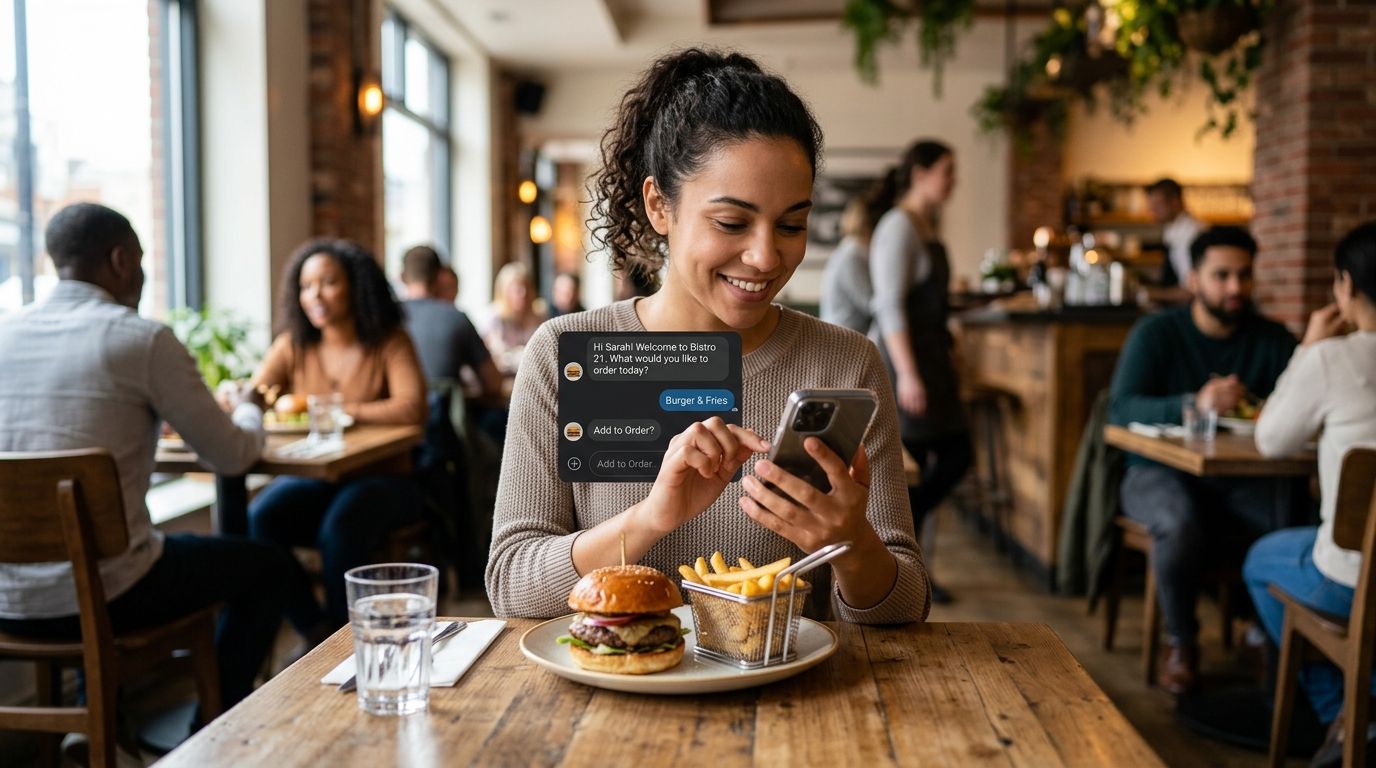
Restaurant chains use ai chatbot for restaurant ordering systems to capture phone, kiosk, app, and web orders without adding staff during peak hours, and most failed rollouts trace back to skipped POS integration testing rather than bad conversation design. Multi-location operators need something different than a single café testing a chatbot on its own site: order flows have to sync across channels, kitchens, and loyalty systems at once, not just answer questions politely.
- An ai chatbot for restaurant ordering system fails most often on modifiers and allergy fields, not on greetings or menu browsing.
- Rule-based scripts handle simple pickup orders; custom-built chatbots handle substitutions, upsells, and multi-channel sync across phone, kiosk, and app.
- Pilot one location before a chain-wide rollout in 2026 to catch POS integration bugs while the blast radius is small.
- KnackForge builds restaurant ordering chatbots that connect to POS and kitchen display systems instead of selling a fixed template.
Why AI ordering chatbots matter for restaurant chains
A restaurant chain's phone lines and front counters carry the same order volume every lunch and dinner rush, and staffing them at peak capacity year-round is expensive. An ai chatbot for restaurant ordering takes the repetitive calls and taps off that queue so staff work the line instead of the register or the phone.
The difference between a chain and a single location isn't ambition, it's coordination. A five-unit group needs order data flowing into one reporting view; a 200-unit chain needs that same data flowing without breaking when a franchisee swaps POS vendors. KnackForge builds restaurant ordering chatbots with that coordination problem as the starting point, not an afterthought bolted on after launch.
Restaurant operators searching for this category in 2026 are usually solving one of three problems: understaffed phone lines during rush, inconsistent order accuracy across locations, or a third-party delivery app eating margin on every transaction. An AI chatbot for restaurant ordering addresses the first two directly. It does nothing for the third unless it's wired into your own ordering channel.
Step 1: Map every order channel before you touch a chatbot
You can't automate a flow you haven't documented. Most chains discover during this step that three locations use different POS systems, or that the phone script varies by shift manager.
- List every channel: phone, drive-thru intercom, kiosk, web, native app, third-party delivery
- Note which channels currently route to a live person versus a recorded system
- Flag locations running non-standard POS or menu configurations
- Record current average call volume during peak hours if your phone system logs it
- Identify which menu items generate the most modifier requests
Step 2: Build the conversation flow manually first
Write the order script the way a trained cashier would run it before any AI vendor touches it. This step is free and it forces clarity on edge cases the chatbot will eventually need to handle.
- Script the greeting, menu walkthrough, upsell prompt, and confirmation in plain language
- Write out every common substitution and how staff currently handle it
- Document allergy and dietary questions your staff get asked weekly
- Define what triggers a human handoff versus a self-service continuation
- Decide how a canceled or modified order gets confirmed back to the guest
Step 3: Choose your integration points and your build path
This is where DIY chatbot builders hit a wall. A scripted flow means nothing if it can't push an order into your kitchen display system or pull real-time menu availability from your POS. Off-the-shelf chatbot platforms handle basic FAQ and greeting flows well; they struggle once you need live inventory checks or loyalty-account lookups mid-order.
For chains running more than a handful of locations, a custom build closes that gap. KnackForge scopes the integration layer first, then designs the conversation around what the POS and kitchen systems can actually confirm in real time, which is the difference between a chatbot that takes orders and one that takes orders correctly.
- Confirm which POS vendors your locations run and whether each exposes an API
- List kitchen display system requirements for order routing
- Decide whether loyalty and payment data need to sync mid-conversation
- Map which locations can pilot first without disrupting a high-volume flagship store
- Set a fallback path for any location whose systems can't integrate yet
Step 4: Build escalation and human handoff rules
An ai chatbot for restaurant ordering that can't recognize when to hand off to a person creates worse experiences than no chatbot at all. Allergy questions, complaint calls, and large catering orders need a person, every time.
- Set hard escalation triggers for allergy and dietary safety questions
- Route orders above a set item count or dollar threshold to a live agent
- Flag repeated failed order attempts for immediate handoff
- Give staff visibility into which orders came from the chatbot versus a human
- Test the handoff itself, not just the trigger — a dropped call after handoff is worse than no automation
Step 5: Test against real order edge cases
Happy-path testing hides the problems that show up during a Friday dinner rush. Test the flow with the messy orders your staff deal with daily, not the clean demo script.
- Order with three modifiers on one item and a substitution on another
- An allergy disclosure mid-order that should trigger escalation
- A guest changing their mind after confirmation
- Simultaneous orders during a simulated rush period
- A menu item marked out of stock at the POS level
Step 6: Measure performance after launch
A chatbot that quietly gets order accuracy wrong for six weeks costs more than the staffing problem it was meant to solve. Track these numbers from day one at your pilot location.
- Order accuracy rate compared to your pre-chatbot baseline
- Percentage of conversations that required human handoff
- Average order completion time by channel
- Upsell attach rate versus your current in-person average
- Guest complaints specifically tied to chatbot-placed orders
Step 7: Scale across locations deliberately
A working pilot at one store does not guarantee a working rollout at forty. Menu variations, regional promotions, and POS version differences all surface once you scale past your test site.
- Roll out to a second, structurally different location before a full chain push
- Standardize any location-specific menu logic before adding it to the shared flow
- Retrain the escalation rules if the second location's order mix differs from the pilot
- Keep a rollback plan for any location whose integration breaks post-launch
Scope your restaurant ordering chatbot
Get a build plan that starts with your POS and kitchen system integrations.
Comparing your options for restaurant ordering automation
| Option | Best for | Key limitation |
|---|---|---|
| Manual phone and counter staff | Single locations with low call volume | Doesn't scale during rush hours; labor cost per order stays fixed |
| Off-the-shelf chatbot platform | Simple FAQ and basic pickup orders | Struggles with live POS integration and modifier logic |
| Kiosk-only ordering (no conversational layer) | In-store, walk-up orders | No phone or app coverage; guests still call in during rush |
| Custom-built AI chatbot | Multi-location chains needing POS, kitchen display, and loyalty sync | Requires upfront integration scoping before launch |
A chain running more than five locations on inconsistent POS setups needs the custom-build path — an off-the-shelf chatbot will handle the greeting fine and then fail the moment a guest asks for a real-time modifier check.
“If your ai chatbot for restaurant ordering can't handle a modifier request without escalating to staff, it isn't ready for peak hours.”
Common mistakes restaurant chains make
- Launching every location at once. A chain-wide rollout with no pilot means every integration bug hits all stores simultaneously instead of one.
- Skipping allergy escalation testing. Chatbots that confirm an allergy-adjacent order without flagging it for a human create liability, not convenience.
- Treating the chatbot as a phone-tree replacement. A menu-reading IVR script bolted onto a chat interface still can't handle a substitution request.
- Ignoring franchise-level POS variation. What works at a corporate flagship store often breaks at a franchisee running a different POS vendor.
- Not measuring order accuracy post-launch. Chains that skip baseline comparison don't notice accuracy drops until complaint volume forces the issue.
FAQ
What is an ai chatbot for restaurant ordering?
It's a conversational system that takes food orders over phone, kiosk, web, or app channels and routes them into a restaurant's POS and kitchen display system without a staff member manually entering the order.
Is a custom-built chatbot better than an off-the-shelf platform for restaurants?
For chains with more than a handful of locations, yes — off-the-shelf platforms handle basic greetings and FAQ well but struggle with live POS integration, modifier logic, and loyalty-account lookups mid-order.
How long does it take to build a restaurant ordering chatbot?
Timelines depend on how many POS and kitchen systems need integration and how many locations are in the pilot; mapping every order channel and integration point before development starts is what keeps the timeline predictable.
Can an AI chatbot handle food allergy questions safely?
It can flag allergy-related requests, but it should escalate to a human rather than confirm an order involving an allergy disclosure on its own — that escalation rule needs to be built in before launch, not added after an incident.
Should a restaurant pilot the chatbot at one location first?
Yes — a single-location pilot surfaces POS integration issues and menu logic gaps before they multiply across every store in the chain.
Does an ordering chatbot replace phone staff entirely?
No — it absorbs repetitive order calls so staff can handle complaints, large catering orders, and escalations that require a person.
What's the biggest reason restaurant chatbot rollouts fail?
Skipping integration testing with the POS and kitchen display system before launch, which causes orders to arrive late, incomplete, or duplicated during the first rush period.
How does KnackForge approach restaurant ordering chatbot development?
KnackForge scopes the POS and kitchen system integration first, then builds the conversation flow around what those systems can confirm in real time, rather than designing dialogue before integration is mapped.
One last thing
The order accuracy problem almost never sits in the greeting or the menu walkthrough — it sits in the modifier field, where a guest says "no onions, extra sauce, make it a combo" in one breath. Test that sentence specifically before any 2026 rollout, because it's the sentence that breaks scripted chatbots and the one that separates a working ai chatbot for restaurant ordering system from one that generates refund requests.


