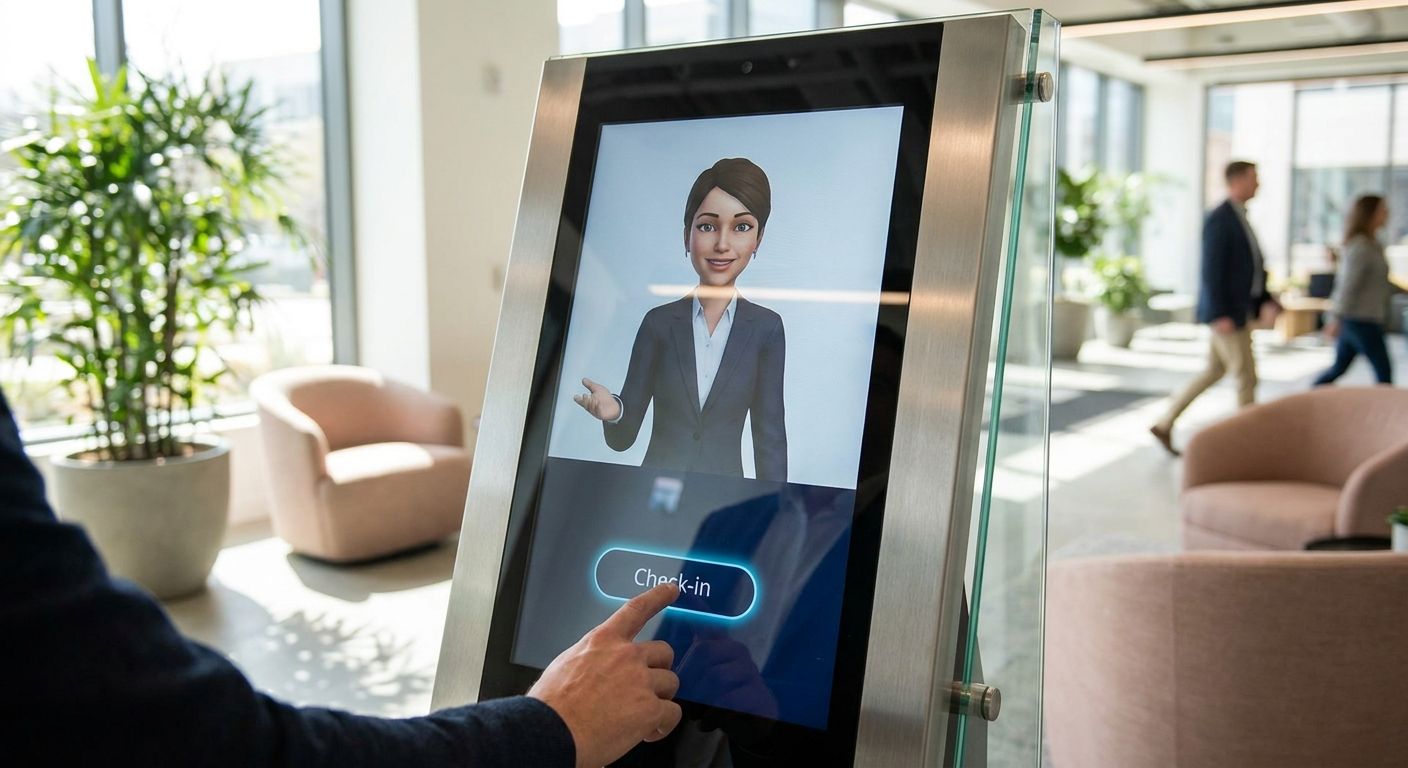
Kiosk operators keep asking the same question in 2026: can an AI receptionist actually replace the person who used to stand next to the check-in screen? For most self-service deployments, the honest answer is yes for routine traffic and no for the exceptions — which is exactly why picking the right virtual receptionist AI for kiosk platforms comes down to how a vendor or dev partner handles escalation, compliance, and load, not how polished the demo looks.
- Virtual receptionist AI for kiosk platforms only works long-term if it escalates cleanly to a human — Buy this capability, don't bolt it on later.
- Healthcare and government kiosks need HIPAA-ready data handling built in from day one, not retrofitted after an audit.
- Autoscaling infrastructure matters more than NLU polish once you're running past a handful of physical locations in 2026.
- Generic chatbot widgets rebranded as kiosk receptionists are the most common Skip — they fail on noisy audio and multi-turn context.
Why this matters
A kiosk isn't a chat window. It's a public terminal in a lobby, airport, or clinic where the audio is noisy, the user is often a first-time visitor, and there's no fallback keyboard for a confused query. Virtual receptionist AI for kiosk platforms has to handle interruptions, background noise, and multi-language traffic in the same five-minute session — and it has to do it without a human standing by to bail it out at 2 a.m.
KnackForge builds this layer for enterprises rather than selling a fixed box product, which matters because most off-the-shelf kiosk chat widgets are built for e-commerce FAQ deflection, not live front-desk interaction. That distinction decides whether your kiosk fleet actually reduces staffing cost in 2026 or just generates a new complaint category.
Who this is for
This guide is for operations and IT leads at retail chains, healthcare systems, real estate offices, and transit agencies deploying self-service kiosks that need a conversational front end — not a static touchscreen menu. If your kiosk fleet handles check-ins, document requests, or routing to a live agent, the criteria below apply directly.
What to look for in virtual receptionist AI for kiosk platforms
Noisy-environment accuracy
Lobbies, terminals, and clinics are loud. A receptionist AI tuned on clean call-center audio will misfire constantly on kiosk hardware where the microphone picks up foot traffic and PA announcements. Test accuracy on the actual acoustic environment, not a vendor's lab demo.
Escalation to a live human
Every kiosk deployment eventually hits a request the AI can't resolve — a billing dispute, a medical concern, an angry customer. The system needs a clean handoff path with context preserved, not a dead-end "please call this number" screen. This is the single biggest predictor of whether a kiosk deployment survives past year one.
Compliance and data handling
If the kiosk touches patient records, insurance data, or government IDs, the receptionist layer has to meet HIPAA or equivalent regulatory standards from the first release, not after a compliance review flags it. Retrofitting data handling after deployment is expensive and slow.
Uptime under peak load
A single kiosk failing is a support ticket. A fleet of 40 kiosks failing during a morning rush because the backend can't autoscale is a headline. Infrastructure that scales with traffic spikes matters as much as the conversational model itself.
Legacy system integration
Most kiosk networks sit on top of scheduling systems, POS software, or EHR platforms that are 5-10 years old. The receptionist AI needs to talk to that stack without a six-month rip-and-replace project.
Analytics and escalation visibility
Operations teams need to see what the AI couldn't handle, not just what it did handle. Without call-level analytics, you're flying blind on where the kiosk experience breaks down.
Build paths — what to actually deploy
There's no single "best" off-the-shelf virtual receptionist AI for kiosk platforms in 2026 — the right build path depends on your compliance load and traffic pattern. Here are the four paths worth evaluating.
Path 1 — Document-heavy healthcare kiosks. The safe pick for hospital and clinic check-in kiosks that need to pull and summarize patient intake forms in real time. Generative AI development for healthcare document automation handles the document parsing layer that most generic receptionist bots skip entirely. One spec that matters: multi-document context retention across a single kiosk session, not just single-turn Q&A. Verdict: Buy if your kiosk fleet touches patient forms.
Path 2 — High-volume support routing. The workhorse pick for retail and transit kiosks fielding hundreds of routine questions a day, where the goal is deflecting the easy 70% and routing the rest cleanly. AI-driven call analytics for customer support teams gives operations visibility into exactly which queries the kiosk mishandles, ranked by frequency. Verdict: Buy for any deployment past 10 kiosk locations — you need the data, not just the routing.
Path 3 — Multi-region kiosk fleets. The wildcard pick, because most teams underestimate infrastructure until a fleet-wide morning rush takes the receptionist offline. Autoscaling infrastructure for SaaS platforms is built for exactly this load pattern — spiky, geographically distributed, unpredictable by hour. Verdict: Consider early; Buy once you're past a single-region pilot.
Path 4 — Compliance-first deployments. Government offices and health systems can't treat data handling as an afterthought. A HIPAA-ready stack has to be part of the architecture before the first kiosk goes live, not patched in during an audit cycle. Verdict: Buy for any kiosk touching regulated data — the cost of retrofitting compliance after deployment runs far higher than building it in from the start.
Scope your kiosk AI build
Get a technical assessment of your kiosk fleet's escalation and compliance gaps.
What to avoid
- Generic chatbot widgets rebranded as "kiosk receptionists." They're tuned for typed FAQ deflection, not live audio in a noisy lobby. They'll demo fine and fail in week two.
- Single-region hosting for a national kiosk fleet. A backend that isn't built to autoscale will hold up in a pilot of 3 kiosks and buckle at 40.
- Skipping the human escalation path to save on integration cost. It's the cheapest corner to cut and the most expensive one to fix once customers start complaining.
Verdict comparison
| Build path | Best for | Compliance readiness | Scaling headroom | Verdict |
|---|---|---|---|---|
| Document automation layer | Healthcare check-in kiosks | High (built for patient docs) | Moderate | Buy |
| Call analytics + routing | High-volume retail/transit kiosks | Moderate | High | Buy |
| Autoscaling infrastructure | Multi-region fleets | Low (infra only) | Very high | Buy at scale |
| Generic chatbot widget | Single-kiosk pilots only | Low | Low | Skip |
FAQ
What is virtual receptionist AI for kiosk platforms?
It's a conversational AI layer built specifically for self-service kiosk hardware, handling check-ins, routing, and document requests in noisy public environments. Unlike a standard chatbot, it has to manage audio interference and clean escalation to a live agent.
Is virtual receptionist AI better than a static kiosk menu?
For anything beyond simple check-in, yes — a static menu can't handle the exceptions that make up a real front-desk workload. The tradeoff is that AI receptionists need a solid escalation path or they create new friction instead of removing it.
How much does it cost to build a kiosk receptionist AI in 2026?
Cost varies heavily by whether you're integrating with legacy scheduling or EHR systems and whether compliance work like HIPAA readiness is required. Get a scoped assessment before budgeting rather than relying on a generic per-kiosk estimate.
Can virtual receptionist AI handle HIPAA-regulated kiosks?
Yes, but only if the data handling architecture is built for compliance from the start, not added after deployment. Healthcare kiosks touching patient records need this baked into the initial build.
Do kiosk receptionist AIs need human escalation?
Yes — every deployment eventually hits a request the AI can't resolve, and a clean handoff with preserved context is what separates a working deployment from a support-ticket generator.
What's the biggest failure mode for kiosk AI receptionists?
Generic chatbot widgets tuned for typed FAQ deflection, deployed on kiosk hardware in loud public spaces. They misread noisy audio and stall on multi-turn requests.
How many kiosk locations before autoscaling infrastructure matters?
Past roughly 10 locations, traffic spikes stop being predictable and single-region hosting starts to show cracks during peak hours. Multi-region autoscaling becomes a requirement, not a nice-to-have, at fleet scale.
Should I integrate kiosk AI with existing legacy systems or replace them?
Integration is almost always faster and cheaper than replacement, since most scheduling and POS systems behind kiosks are 5-10 years old and stable. The receptionist AI layer should adapt to that stack, not force a rebuild.
One last thing
The deployments that actually hold up past year one in 2026 are the ones that treated the human escalation path as core architecture, not a support afterthought — every fleet that skipped it ended up rebuilding that layer within six months anyway.


