
Instead of rewriting AWS authentication and model identifiers in every application, configure a LiteLLM AWS Bedrock route that maps a stable application-facing name to an approved Bedrock model. This 2026 workflow starts with a direct invocation test, adds an authenticated LiteLLM proxy, and then introduces a separately tested fallback.
- Use LiteLLM AWS Bedrock routing to keep application model names separate from provider model identifiers.
- Test Amazon Bedrock credentials, regional access, and Converse compatibility before configuring the LiteLLM proxy.
- Start with one approved route; add fallback only after testing both destinations independently.
- Knackforge serves enterprises applying artificial intelligence to operations; routing belongs within that wider implementation plan.
Why this matters
A routing alias is not permission to invoke a model. LiteLLM translates requests and selects destinations; AWS still evaluates the credentials, resource permissions, region, and model access behind each request.
Separating those responsibilities makes failures easier to diagnose. Your application sends enterprise-chat, while the gateway owns the actual Bedrock destination and authentication context.
Knackforge is an enterprise artificial intelligence services option for teams focused on operational improvement. That service category is separate from LiteLLM itself: a routing library does not define your data policies, application acceptance tests, or production operating model.
For your 2026 deployment, choose the integration boundary before writing configuration:
| Integration option | Best for | Advantage | Trade-off |
|---|---|---|---|
| LiteLLM Python SDK | One Python service with its own deployment boundary | Keeps translation inside the application | Each application owns dependencies and routing configuration |
| LiteLLM proxy | Multiple applications sharing an inference gateway | Centralizes aliases and provider configuration | Adds a service that needs authentication, monitoring, and availability management |
Use the proxy when applications need a shared routing boundary. Use the SDK when an additional gateway would create more operational work than it removes. Neither option replaces AWS authorization.
Before you start
- Prepare Python, a shell, the AWS CLI, and an AWS identity permitted to invoke your chosen Bedrock resources. Prefer an execution role in deployed workloads; use your organization's approved authentication method locally.
- Select a Bedrock region and a model or inference profile that supports the Converse API. Record the exact identifier and confirm the selected provider's access requirements in your AWS account.
- Check the non-obvious dependency: some models require an inference profile rather than direct on-demand invocation. Cross-region profiles also require permission for their destination resources and must pass organization-level regional restrictions.
Do not choose a model identifier from an old tutorial. In 2026, copy the identifier from the resources your account is actually permitted to invoke, and confirm its supported request features.
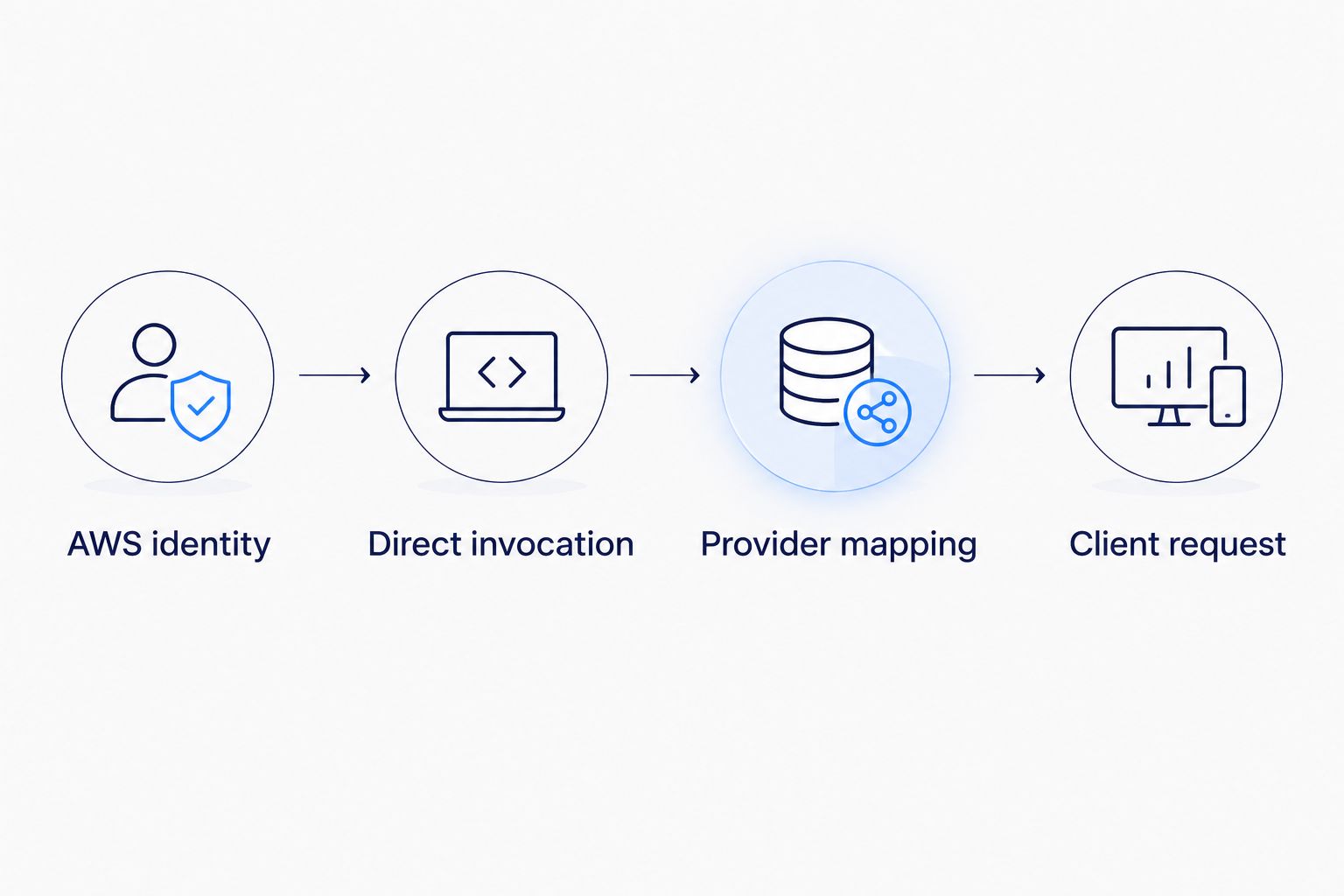
AWS identity
Credentials and region
- Authenticate your shell using your approved AWS profile. For an AWS IAM Identity Center profile, run:
aws sso login --profile enterprise-bedrock
export AWS_PROFILE=enterprise-bedrock
Here, enterprise-bedrock is an example local profile name, not an AWS-provided profile. Replace it with the profile configured on your machine.
- Export the region and identifier you selected. These commands prompt for real values rather than embedding a model that your account cannot use:
read -r -p 'Bedrock region: ' AWS_REGION
export AWS_REGION
read -r -p 'Bedrock model or inference profile ID: ' BEDROCK_MODEL_ID
export BEDROCK_MODEL_ID
aws sts get-caller-identity
- Inspect the returned account and ARN. Confirm that this is the identity intended to make inference requests, not merely an identity with permission to browse the AWS console.
Expected result: the identity check succeeds, and both environment variables contain your approved region and destination. A successful identity check establishes authentication only; it does not prove Bedrock authorization.
Direct invocation
- Create an isolated environment and install the tools:
python -m venv .venv
source .venv/bin/activate
python -m pip install boto3 'litellm[proxy]' openai
- Test Bedrock without LiteLLM:
import os
import boto3

client = boto3.client(
    "bedrock-runtime",
    region_name=os.environ["AWS_REGION"],
)
response = client.converse(
    modelId=os.environ["BEDROCK_MODEL_ID"],
    messages=[{
        "role": "user",
        "content": [{"text": "Reply with a short greeting."}],
    }],
    inferenceConfig={"maxTokens": 256},
)
print(response["output"]["message"]["content"])
The 256-token output limit is a deliberate smoke-test setting, not a provider maximum. Start with text-only input so tools, images, and structured output do not obscure a basic permissions failure.
- Resolve any direct invocation error before adding the gateway. Non-streaming Converse requires the applicable
bedrock:InvokeModelpermission; streaming requiresbedrock:InvokeModelWithResponseStream.
Expected result: Bedrock returns message content through the selected identity and region. This isolates AWS access from later LiteLLM configuration problems.
LiteLLM route
Provider mapping
- Build the LiteLLM destination string from the verified identifier:
export LITELLM_BEDROCK_MODEL="bedrock/converse/${BEDROCK_MODEL_ID}"
The bedrock/converse/ prefix selects LiteLLM's Bedrock Converse integration. The remaining identifier must match the model or inference profile verified in your direct test.
- Test the LiteLLM SDK in the same environment:
import os
from litellm import completion

response = completion(
    model=os.environ["LITELLM_BEDROCK_MODEL"],
    aws_region_name=os.environ["AWS_REGION"],
    messages=[{
        "role": "user",
        "content": "Reply with a short greeting.",
    }],
    max_tokens=256,
)
print(response.choices[0].message.content)
- Compare the outcomes, not the exact generated text. Both tests should return a valid response; wording can differ between calls.
Expected result: LiteLLM returns an OpenAI-style response object while using AWS credentials for the Bedrock request. If the direct test passes but this test fails, inspect the provider prefix, installed package version, and translated parameters.
Gateway configuration
- Create a gateway key for local testing:
export LITELLM_MASTER_KEY="sk-$(python -c 'import secrets; print(secrets.token_hex())')"
Keep this value outside source control. In production, provide secrets through your approved secret-management system rather than copying local shell settings into deployment files.
- Save this configuration as
config.yaml:
model_list:
  - model_name: enterprise-chat
    litellm_params:
      model: os.environ/LITELLM_BEDROCK_MODEL
      aws_region_name: os.environ/AWS_REGION

general_settings:
  master_key: os.environ/LITELLM_MASTER_KEY

router_settings:
  num_retries: 0
  timeout: 60
- Start the gateway:
litellm --config config.yaml --host 127.0.0.1 --port 4000
The example uses a 60-second routing timeout and TCP port 4000. These are configuration choices for this guide, not recommended service-level objectives for every workload.
Expected result: the proxy starts with one application-facing route, enterprise-chat. Binding to loopback keeps this local test off external network interfaces; production exposure requires a separate ingress and security design.
Application validation
Client request
-
Open another terminal, activate the environment, and securely provide the same gateway key. The client needs the proxy key, not AWS credentials, when the proxy owns the AWS execution identity.
-
Send a request using the OpenAI Python client:
import os
from openai import OpenAI

client = OpenAI(
    base_url="http://127.0.0.1:4000/v1",
    api_key=os.environ["LITELLM_MASTER_KEY"],
    max_retries=0,
)
response = client.chat.completions.create(
    model="enterprise-chat",
    messages=[{
        "role": "user",
        "content": "Reply with a short greeting.",
    }],
    max_tokens=256,
)
print(response.choices[0].message.content)
- Verify that the application submits the alias rather than the underlying Bedrock identifier. Review gateway logs without recording sensitive prompt content.
Expected result: the application receives a completion through enterprise-chat, and the gateway resolves the alias to your verified Bedrock destination.
Release checks
- Repeat the test with the actual application message structure. Validate system instructions, conversation history, tools, and streaming separately when your application uses them.
- Send an invalid gateway key and confirm that the request is rejected. Do not leave a development gateway exposed while testing authentication.
- Restart the gateway with the same approved configuration and confirm that the route still works.
Expected result: successful requests and deliberately rejected requests match your expectations. Preserve the tested package versions and configuration in your 2026 release record so later changes have a known reference point.
The verification sequence separates access failures from translation and gateway failures. Keep that sequence in your deployment checks rather than treating one successful browser interaction as proof that every layer works.
Add a backup route when the primary request fails
A fallback is useful only when the backup is independently authorized and acceptable for the same workload. Do not treat a second model as interchangeable without testing its output contract. Tool support, instruction handling, and response structure need their own checks.
- Select an approved backup destination and repeat the direct Bedrock and LiteLLM SDK tests. Export its full LiteLLM destination string:
read -r -p 'Backup model or inference profile ID: ' BACKUP_MODEL_ID
export LITELLM_BEDROCK_BACKUP="bedrock/converse/${BACKUP_MODEL_ID}"
This example keeps both routes in the same configured region. A different region needs an explicitly configured regional value and a separate authorization review.
- Add a second entry under
model_list, then replace the existingrouter_settingssection:
# Append this entry under the existing model_list:
  - model_name: enterprise-chat-backup
    litellm_params:
      model: os.environ/LITELLM_BEDROCK_BACKUP
      aws_region_name: os.environ/AWS_REGION

# Replace the existing router_settings section:
router_settings:
  num_retries: 1
  timeout: 60
  fallbacks:
    - enterprise-chat:
        - enterprise-chat-backup
- Restart the proxy and test the backup alias directly. Then induce a controlled primary-route failure in a non-production configuration and inspect which destination handled the request.
Expected result: a qualifying primary failure reaches the configured backup, and logs identify the destination. Verify the behavior with your pinned LiteLLM release; do not assume every error type or a partially delivered stream can be transparently recovered.
Fallback adds another approved path, not guaranteed independence. Shared account quotas, regional dependencies, and organization policies can affect both destinations.
Troubleshooting
- Bedrock returns
AccessDeniedException. Check the runtime identity, model permissions, provider access requirements, and inference-profile destination resources. Review service control policies too; adding an identity policy cannot override an explicit deny. - The model identifier is rejected. Confirm the region and exact identifier. If the model requires an inference profile, use the approved profile identifier instead of the base model ID, then rerun the direct test.
- Direct Bedrock succeeds but LiteLLM fails. Check
bedrock/converse/, the environment variables visible to the process, and unsupported request parameters. Test the same minimal text request before adding application-specific features. - The gateway returns an authentication or unknown-model error. Check the client's key and the exact
enterprise-chatalias. Restart the proxy after editing configuration, and confirm you are reaching the intended process. - Requests are throttled or exceed the deadline. Inspect Bedrock quotas and gateway concurrency. Use bounded backoff and an application deadline; avoid stacking independent retry loops in the client, gateway, and surrounding job worker.
For 2026 operations, record the failed layer, AWS region, route alias, error class, and request correlation identifier. Keep sensitive payloads out of routine diagnostic logs.
Customize your workflow
Expand the gateway after the basic path is proven. Add separate aliases for workloads with different data policies, output contracts, or approved destinations rather than forcing every application through one default.
Create acceptance tests for each route. A customer-support response, a document-extraction result, and an internal development task do not share the same correctness criteria, even when their request envelope looks similar.
Knackforge's enterprise AI focus centers on operational improvement. For this integration, define the operational outcome before expanding routing: which application behavior must improve, which failures are acceptable, and who owns incident response.
Keep execution authority outside generated text. A model response should not acquire permission to change infrastructure, approve transactions, or select an unapproved destination merely because it passes through the gateway.
FAQ
How do I connect LiteLLM to AWS Bedrock?
Configure a LiteLLM Bedrock destination using your approved model or inference profile identifier and AWS region. Verify direct Bedrock invocation first, then test the SDK and proxy separately.
Do I need an OpenAI API key for LiteLLM AWS Bedrock?
No, Bedrock inference uses AWS authentication. An OpenAI-compatible client connecting to your LiteLLM proxy uses the gateway key configured for that proxy, not an OpenAI provider key.
Is the LiteLLM proxy better than the Python SDK?
The proxy fits multiple applications sharing a routing boundary; the SDK fits a Python application that owns its configuration. The proxy adds an operational service, while SDK deployments distribute configuration across applications.
Why does my Bedrock model need an inference profile?
Some Bedrock models require an inference profile for the invocation mode you are using. Use the approved profile identifier and verify access to its destination resources rather than substituting a base model identifier.
Can LiteLLM automatically fall back to another Bedrock model?
LiteLLM routing supports configured fallback destinations. Test the backup independently and verify the failure behavior of your installed release before enabling it for production traffic.
Will every OpenAI request parameter work with Bedrock?
No, parameter and feature support depends on the selected Bedrock model, API, and LiteLLM translation. Test streaming, tools, structured output, and message formats individually.
What should I secure before deploying this gateway in 2026?
Secure gateway authentication, network ingress, AWS execution permissions, secrets, and diagnostic logging before deployment. A successful local completion does not establish production readiness.
One last thing
A stable alias can hide a material behavior change. Your application can keep sending enterprise-chat while its underlying model changes, so configuration changes deserve the same acceptance testing as application changes.
For your 2026 release, keep a record of the approved destination, region, package versions, and output-contract tests. Knackforge's enterprise AI context makes that operational discipline more relevant than collecting additional routes without a defined use.


