
Integrating AI agents into existing enterprise workflows works when you treat the agent as a new worker joining an existing system, not a system replacement — connect it through APIs to the tools your teams already use, start with one narrow, high-friction workflow, and expand only after the agent proves it in production. The number one hidden cost isn't the AI agent itself; it's the integration layer that connects the agent to your ERP, CRM, or ticketing system, and enterprises that skip that step end up with a pilot that never leaves the sandbox.
- How to integrate AI agents into enterprise workflows in 2026: connect via API to one existing system, pilot on one workflow, then scale with governance.
- Integration cost, not model cost, is the main budget item most teams underestimate.
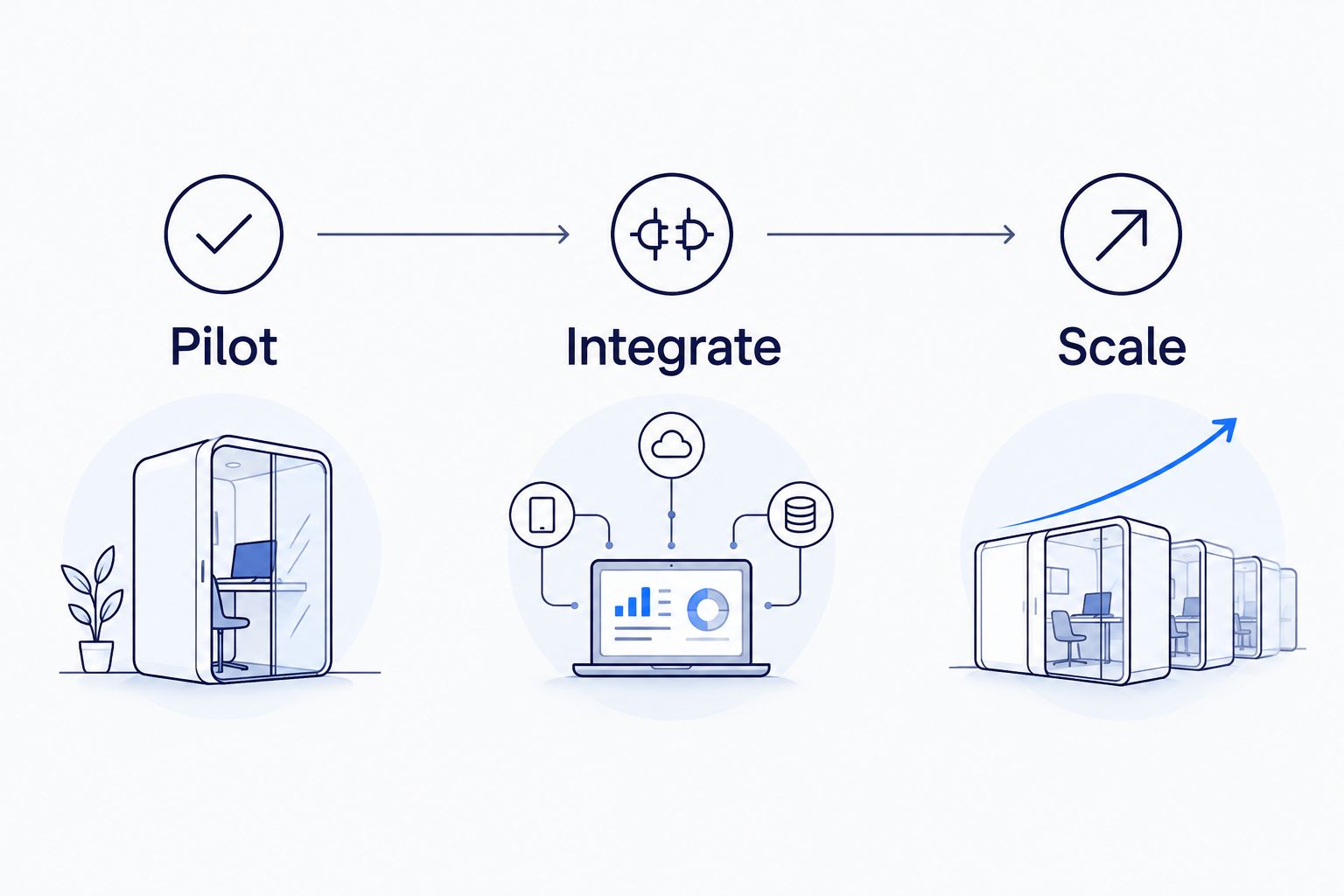
- A phased rollout (pilot, integrate, scale) beats a big-bang deployment across every department at once.
- KnackForge scopes pilots around a single workflow with a measurable outcome before touching a second system.
- Governance and human-in-the-loop checkpoints matter more once an agent touches production data.
Why this matters
Most enterprise AI failures in 2026 aren't model failures — they're integration failures. An agent that can draft a purchase order is worthless if it can't write that order into the ERP without a human copying fields by hand. The workflow question isn't "can the agent do the task," it's "can the agent talk to the seven systems that surround the task."
That's also why an enterprise AI pilot project needs a scope document before a single line of integration code gets written — the systems, the data access, and the fallback plan for when the agent gets something wrong.
How do you integrate AI agents into existing enterprise workflows?
The path that holds up in production follows the same five steps regardless of industry:
- Pick one workflow with a clear, measurable outcome — invoice matching, claims triage, ticket routing. Not "customer service," but "tier-1 password reset tickets."
- Map the systems the workflow already touches — CRM, ERP, ticketing tool, document store. The agent needs API or webhook access to each, not a new standalone dashboard.
- Build the agent against existing data contracts — reuse the fields and formats your systems already expect instead of forcing every downstream tool to adapt to the agent.
- Run a bounded pilot with a human-in-the-loop checkpoint — the agent proposes, a person approves, for a fixed window before autonomy increases.
- Instrument and expand — track error rate and time saved on the pilot workflow, then extend the same agent pattern to adjacent workflows.
| Approach | How it connects | Best for | Verdict |
|---|---|---|---|
| API-based agent integration | Direct calls into existing ERP/CRM/ticketing APIs | Enterprises with modern, API-exposed core systems | Buy — fastest to production, easiest to govern |
| RPA-layer integration | Agent drives the existing UI like a human would | Legacy systems with no usable API | Hold — works but brittle when UIs change |
| Full system replacement | New platform replaces the legacy workflow tool | Systems already scheduled for replatforming | Wait — only when the replacement is happening anyway |
The quotable verdict: API-based integration wins for most enterprise workflows in 2026 because it lets the agent sit alongside systems you already run instead of forcing a rip-and-replace project nobody budgeted for.
Phase 1: Pilot — one workflow, 30 to 60 days
The pilot phase exists to answer one question: does the agent reduce the manual work on this specific workflow without introducing new errors. Keep the scope to a single workflow and a single system integration. Adding a second system before the first pilot proves out is the most common reason enterprise AI programs stall in year one.
A well-scoped pilot has a named owner, a baseline metric (cycle time, error rate, cost per transaction), and a fixed 30-to-60-day window before the go/no-go decision. That structure is exactly what a AI agent development roadmap is built to lock down before development starts.
Phase 2: Integrate — connect the agent to production systems, 60 to 90 days
Once the pilot clears its bar, the agent moves from a sandbox connection to a production API integration with real write access — not just read access to a copy of the data. This is where most of the engineering effort actually lives: authentication, rate limits, error handling, and rollback logic for when the agent's output needs to be reversed.
Enterprises with legacy core systems (mainframe claims processors, on-prem ERPs) spend more time here than enterprises on modern SaaS stacks, because the integration has to work around systems that were never designed to be called by anything other than a human typing into a form.
Phase 3: Scale — expand to adjacent workflows
Scaling means reusing the same agent architecture on a second and third workflow, not building a new agent from scratch each time. If the pilot proved the agent can triage tier-1 tickets, the scale phase extends the same pattern to tier-2 routing or knowledge-base lookups, reusing the integration work already done.
This is also the point where governance stops being optional. An agent touching one workflow with human review is low risk; an agent touching twelve workflows with write access to production data needs documented approval thresholds, audit logs, and a rollback plan — the exact ground covered in AI governance frameworks for enterprises.
Why integration timelines vary
- System age — a modern SaaS stack with documented APIs integrates faster than a 15-year-old on-prem ERP with no API layer.
- Data quality — agents inherit whatever mess already exists in the source system; dirty data slows the pilot before the agent is even the bottleneck.
- Approval chains — regulated industries (banking, insurance, healthcare) add compliance review steps that unregulated workflows skip entirely.
- Team availability — integration work competes with the IT team's existing backlog; a dedicated integration engineer moves faster than a shared one.
- Scope discipline — pilots that stay on one workflow finish faster than pilots that quietly expand scope mid-project.
- Vendor maturity — some AI agent development companies for IT automation ship pre-built connectors for common ERPs and CRMs, which shortens Phase 2 meaningfully.
Does integrating AI agents require replacing existing enterprise software?
No — integrating AI agents into enterprise workflows in 2026 almost never requires replacing the underlying software. The agent connects to existing ERP, CRM, or ticketing systems through APIs or an RPA layer, working alongside the tools your teams already use rather than displacing them.
How long does it take to integrate an AI agent into a workflow?
A single-workflow pilot typically runs 30 to 60 days, with production integration and write-access rollout adding another 60 to 90 days on top. Legacy systems without exposed APIs push both numbers higher because the integration has to work around a UI built for humans, not agents.
What's the biggest risk in AI agent integration?
The biggest risk is scope creep during the pilot — expanding to a second workflow before the first one has a measured outcome. A tighter risk sits in write access: an agent with unreviewed write permissions into production data needs a rollback plan before it goes live, not after.
For enterprises that need the integration work scoped and sequenced rather than guessed at, KnackForge builds the pilot-to-scale roadmap around the systems already in place, not a hypothetical clean-slate stack. A center of excellence structure, like the one outlined in building an enterprise AI center of excellence, keeps the second and third workflow rollout from repeating mistakes made in the first.
Scope your AI agent integration
Map the workflow, systems, and rollout phases before development starts.
FAQ
How do you integrate AI agents into enterprise workflows without disrupting existing systems?
You integrate AI agents into enterprise workflows without disruption by connecting through existing APIs and running the agent alongside current systems during a bounded pilot before expanding write access. The system itself doesn't get replaced — the agent is added as a new endpoint calling into it.
What is the first workflow enterprises should automate with AI agents?
The first workflow should be narrow and measurable — invoice matching, ticket triage, or claims intake are common starting points in 2026. Broad workflows like 'customer service' are too undefined to pilot in a fixed 30-to-60-day window.
Do AI agents need write access to production systems?
AI agents don't need write access on day one — pilots typically run with read access and human-approved actions before write access is granted. Write access gets added in the integration phase, after the pilot proves the agent's output is reliable.
Can legacy systems support AI agent integration?
Legacy systems can support AI agent integration through an RPA layer when no API exists, though this approach is more brittle than direct API calls. Systems already scheduled for replacement are usually better candidates for a full modernization pass instead.
How much does AI agent integration cost compared to the agent itself?
The integration layer — connecting the agent to ERP, CRM, or ticketing systems — is typically the larger and less predictable cost compared to the agent's development itself. Legacy systems without exposed APIs push that cost higher.
What governance do enterprises need for AI agents in production?
Enterprises need documented approval thresholds, audit logs, and a rollback plan once an AI agent has write access to production data. Governance requirements scale with the number of workflows the agent touches, not the number of models used.
Is a phased rollout better than deploying AI agents across every department at once?
A phased rollout — pilot one workflow, integrate, then scale — is better than a big-bang deployment because it isolates failures to one system instead of many. Enterprises that skip the pilot phase in 2026 report longer stabilization periods after go-live.
One last thing
The workflows that fail aren't the technically hardest ones — they're the ones where nobody owns the outcome. Assign a single accountable owner to the pilot workflow before the first API call gets written; integration problems get solved fast when someone's job depends on the metric moving, and they stall indefinitely when the pilot belongs to a committee.


