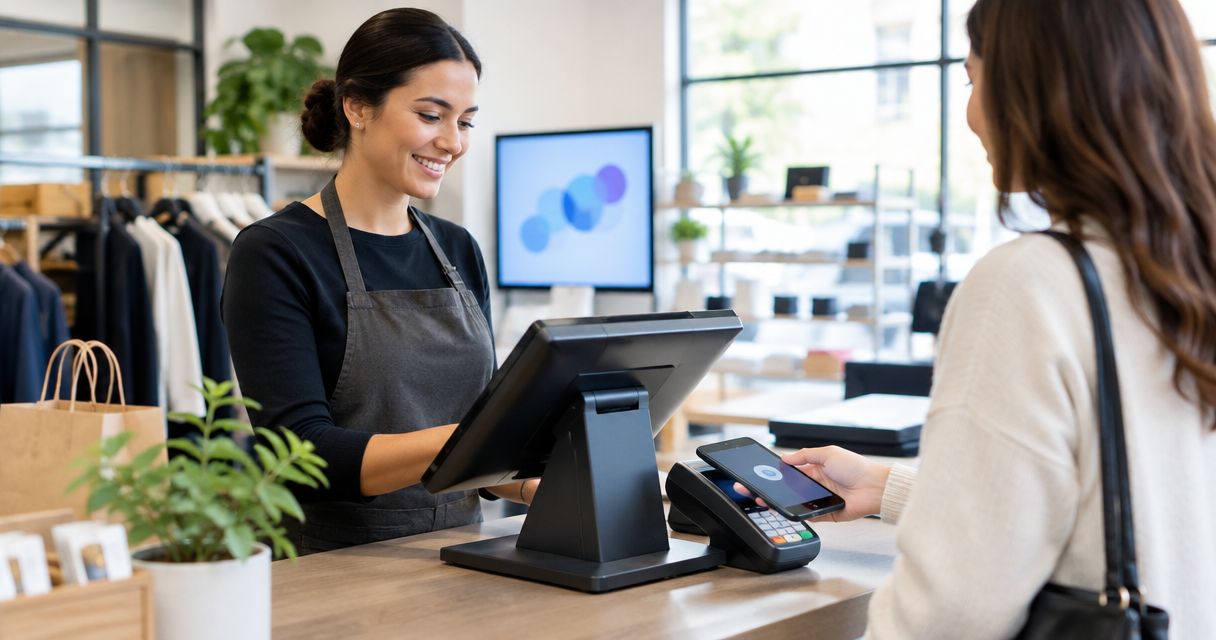
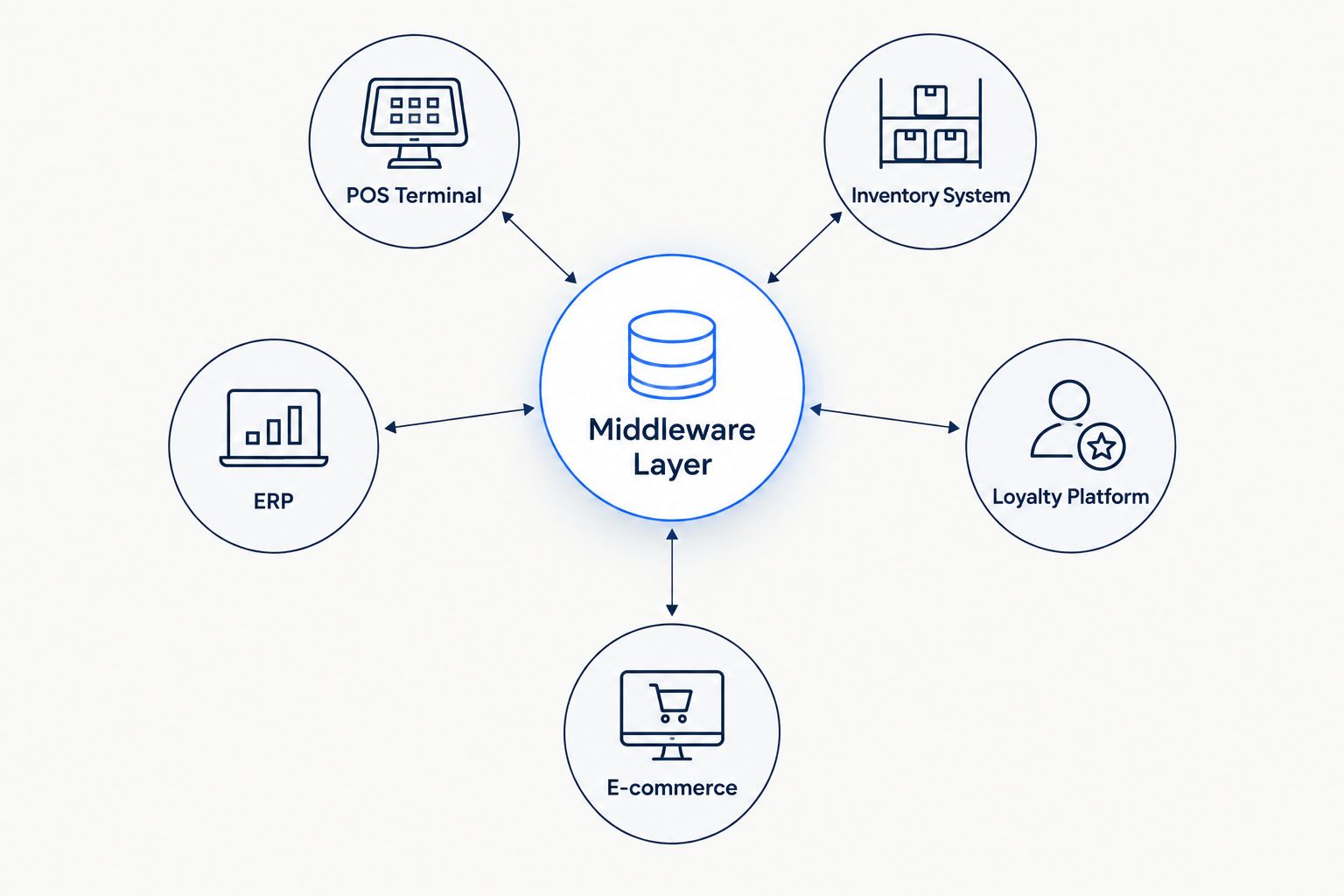
Applications integration services for retail point-of-sale systems connect the checkout terminal to inventory, ERP, loyalty, and e-commerce platforms so a sale at register three updates stock counts, revenue reports, and loyalty points everywhere else within seconds, not overnight. Retail POS integration carries constraints most B2B integration projects don't: PCI-DSS scope on every data path touching card numbers, multi-vendor hardware across store fleets, and zero tolerance for downtime during peak selling hours.
- Applications integration services for retail point of sale sync checkout data with inventory, ERP, and loyalty systems in real time.
- Batch nightly exports still run in most retail chains in 2026, creating inventory lag that causes overselling on fast-moving SKUs.
- Event-driven middleware replaces batch jobs for chains running mixed POS brands across 20+ locations.
- KnackForge builds API-first integration layers for retailers moving off legacy POS-to-ERP batch pipelines.
Why integration matters for retail point-of-sale systems
A single POS terminal isn't the problem. The problem is 40 stores running three different POS vendors after two acquisitions, each exporting data on a different schedule, into an ERP system that expects one format. Applications integration services for retail point-of-sale systems exist because that mismatch costs sales the moment inventory numbers go stale during a promotion.
Retail buyers search for this specifically because generic "system integration" vendors don't understand PCI-DSS card data segmentation, EDI formats still used in vendor drop-ship relationships, or why a 2009-era POS terminal can't push a webhook. KnackForge works from that constraint set rather than a generic integration playbook.
Retail chains running real-time POS-to-inventory sync catch overselling before it happens; chains on nightly batch jobs catch it the next morning, after the refund emails start. That's the entire case for moving off batch in 2026.
Build the integration in six steps
Audit your POS-to-ERP data flows
Start by mapping what actually moves between systems today, not what the vendor documentation claims. Most retail IT teams discover gaps here that explain months of reconciliation headaches.
- List every POS terminal model and software version per store location
- Log the export format for each: flat file, CSV batch, JSON webhook, EDI 810/850
- Note the sync frequency for inventory, sales, and returns separately
- Flag any manual re-entry steps between POS and ERP
- Identify which data touches cardholder information and falls under PCI-DSS scope
Map integration points across every channel
POS-to-ERP is one link in a longer chain. Retailers running e-commerce alongside physical stores need the POS talking to more than accounting software.
- Inventory management system (store-level and warehouse-level)
- E-commerce platform for unified stock visibility
- Loyalty and rewards program
- CRM for purchase history and segmentation
- Tax engine for multi-jurisdiction compliance
- Accounting/ERP for revenue recognition
Choose batch or event-driven sync
Batch jobs run on a schedule — hourly, nightly, weekly. Event-driven integration pushes data the instant a transaction closes. Batch is cheaper to build and fine for low-velocity SKUs; event-driven is the only option for chains selling limited-run or high-demand inventory across locations.
- Batch works for accounting reconciliation where same-day accuracy isn't required
- Event-driven is mandatory for real-time inventory across 10+ locations
- Webhook-based sync from modern POS platforms (Square, Toast, Lightspeed) is simpler to build than polling older systems
- Message queues (Kafka, RabbitMQ) handle spikes without dropping transactions during peak hours
- Retailers without in-house streaming expertise use ERP integration services to build the middleware layer instead of standing up Kafka pipelines from scratch
Secure the integration for PCI-DSS
Any system that touches transaction data inherits PCI scope the moment it receives that data. Widening scope without a plan is the fastest way to fail an audit.
- Tokenize card data at the POS before it leaves the terminal
- Segment networks so ERP and loyalty systems never receive raw card numbers
- Use a payment gateway that strips sensitive fields before the integration layer sees the payload
- Log every system that touches transaction data for the audit trail
Test with production-like transaction volume
A promotion or holiday spike is the worst time to discover the integration can't hold up. Load-test before the calendar forces the issue.
- Simulate peak transaction rates from historical Black Friday or promotional data
- Test failure modes: what happens when the ERP is unreachable mid-transaction
- Verify inventory counts reconcile after a simulated network outage
- Confirm loyalty point calculations survive concurrent transactions at the same register
Monitor and maintain after launch
Integration isn't a one-time build. POS vendors push firmware updates that break field mappings without warning.
- Set up alerting on sync failures and lag thresholds
- Track inventory reconciliation variance weekly, not quarterly
- Version-control middleware configuration so a bad update rolls back cleanly
- Point-of-sale estates still running older terminal hardware often need legacy application modernization before real-time sync becomes possible at all
Comparison: integration options for retail enterprises
| Option | Best for | Key limitation |
|---|---|---|
| DIY custom API build | Single-location retailers with an in-house dev team | Maintenance burden grows every time a POS vendor updates its API |
| iPaaS platform (Mulesoft, Boomi, Workato) | Mid-size chains needing prebuilt connectors | Connector libraries often skip niche or older POS brands |
| POS vendor's native marketplace | Standard e-commerce hookups (Shopify POS, Lightspeed) | Locked into whatever endpoints the vendor decides to support |
| Managed integration services (e.g. KnackForge) | Multi-location or multi-brand retail enterprises needing custom ERP and inventory sync | Requires a discovery phase before build work starts |
“Chains on nightly batch jobs catch overselling the next morning, after the refund emails start.”
Common mistakes retail teams make
- Treating integration as a one-time project. POS firmware updates and ERP version changes break field mappings; the pipeline needs ownership, not a launch date.
- Letting PCI scope creep unnoticed. Adding a new loyalty tool that touches transaction data without re-checking scope is how audits fail.
- Skipping load tests before peak season. The integration that works fine at normal volume can fall over during a flash sale in 2026's compressed promotional calendars.
- Ignoring SKU mismatches across systems. Acquired store banners often carry different product codes; syncing without reconciliation corrupts inventory counts everywhere.
- No rollback plan for firmware updates. A POS vendor push that changes a data field format with no warning shouldn't take down the whole integration.
Scope your POS integration project
Get a technical assessment of your current POS-to-ERP data flows.
FAQ
What are applications integration services for retail point of sale systems?
They connect POS terminals to inventory, ERP, loyalty, and e-commerce systems so transaction data updates across every platform in real time instead of overnight. This eliminates the lag that causes overselling and inventory mismatches across store locations.
Is real-time POS integration better than batch sync?
Real-time integration wins for chains selling fast-moving or limited inventory across multiple locations, since it prevents overselling. Batch sync still works fine for low-velocity accounting reconciliation where same-day accuracy isn't required.
How does PCI-DSS affect POS integration projects?
Any system receiving transaction data inherits PCI-DSS scope, so tokenizing card data at the terminal and segmenting networks keeps ERP and loyalty systems out of audit scope. Widening scope without a plan is the most common way retail integration projects fail compliance reviews.
Can old POS hardware support real-time integration?
Older terminals that only support batch file exports usually can't push real-time webhooks without a modernization step first. Legacy application modernization typically has to happen before event-driven sync becomes possible.
What's the difference between iPaaS and a custom integration build?
iPaaS platforms like Mulesoft or Boomi ship prebuilt connectors that speed up standard integrations but often lack support for niche or older POS brands. A custom build covers any system but carries a higher maintenance burden as vendor APIs change.
Do multi-location retail chains need middleware?
Chains running more than one POS brand across locations almost always need a middleware layer, since wiring each POS directly to each downstream system doesn't scale past a handful of connections. Middleware centralizes the mapping logic in one place.
How long does a retail POS integration project take?
Timelines depend on the number of POS brands, store locations, and downstream systems involved, and vary enough between retailers that a discovery phase is the only reliable way to scope it. A single-vendor, single-location build moves faster than a multi-brand chain integration.
One last thing
Most retail integration failures in 2026 trace back to one decision made years earlier: choosing batch sync because it was cheaper to build, then never revisiting it as the store count grew. The fix isn't always a full rebuild — sometimes it's replacing the nightly job with a webhook for just the SKUs that actually sell out. Start there before committing to a full event-driven overhaul.


