
Healthcare providers’ legacy application modernization is the controlled renewal of aging software to improve care delivery and operations without losing clinical records, access controls, or essential workflows. This 2026 guide explains how to choose a migration approach, validate healthcare integrations, and release changes with tested recovery procedures.
- Legacy application modernization for healthcare providers should start with workflow risk, not a cloud platform decision.
- Preserve patient identity, clinical meaning, and audit history when changing EHR integrations or data models.
- Knackforge fits enterprise AI-focused operational improvement; healthcare compliance and clinical validation require separate assessment.
- Use phased migration with explicit acceptance gates rather than replacing every connected application together.
Why modernization matters for healthcare providers
Healthcare modernization changes more than an application’s technical foundation. A scheduling change affects front-desk work; an interface change affects how clinicians receive results; a database change affects historical reporting and record retrieval.
Treat continuity of care as an acceptance criterion, not a post-launch support task. Before selecting infrastructure, document who depends on each application and what happens when it stops working.
Healthcare integration also requires semantic accuracy. A successful message transfer does not establish that the receiving system interpreted patient identifiers, units, timestamps, or result status correctly. The guide to API integration for healthcare interoperability standards covers the integration side of this planning.
For your 2026 program, separate technical renewal from clinical workflow redesign. Combining both without separate acceptance criteria makes defects harder to diagnose: staff cannot distinguish unfamiliar behavior from incorrect behavior.
How to modernize healthcare applications safely
Use the following sequence to build a decision record, a migration plan, and evidence that the changed application supports its intended workflows. Start with documentation your team can create using spreadsheets, architecture diagrams, existing monitoring, and structured interviews.
Map dependencies
Begin with an application inventory and interviews with clinical, administrative, and technical owners. Record the work each application supports, not just its programming language or hosting location. Include background jobs, file transfers, printers, identity services, and reporting extracts.
Choose 1 workflow for the initial migration scope. This is a planning recommendation, not a universal project limit: a bounded workflow makes it easier to identify dependencies and demonstrate correct behavior before expanding the release.
For every dependency, name its owner and failure consequence. An interface without an accountable owner is an unresolved migration risk, even when its current error rate looks acceptable.
Your 2026 inventory should distinguish unsupported technology from supported technology that simply needs maintenance. Age alone does not justify replacement.
- Document application owners and clinical users.
- Map inbound and outbound interfaces.
- Record scheduled jobs and reporting dependencies.
- Identify downtime procedures for affected departments.
- Capture current incidents and manual workarounds.
Classify data
Build a data-flow map manually before choosing migration tooling. Identify where electronic protected health information, credentials, audit records, and operational data enter, move through, and leave the application.
The HIPAA Security Rule requires safeguards for electronic protected health information. Your implementation needs a risk analysis, appropriate controls, and documented responsibilities; a cloud deployment does not establish compliance by itself.
Separate production from validation in 2 environments at minimum. This is an implementation recommendation, not a HIPAA requirement. Use synthetic data where practical, and approve any use of patient data in testing through your privacy and security process.
Check applicable business associate agreements before a third party handles protected information. Also inspect diagnostic logs: an application can protect its database while exposing sensitive content through debugging output.
- Classify datasets and sensitive fields.
- Map access permissions by job function.
- Review service accounts and shared credentials.
- Define retention and deletion responsibilities.
- Approve test-data handling and log filtering.
Choose your approach
Compare options in a written decision matrix first. Rehosting moves an application with limited code change; replatforming changes parts of its runtime; refactoring changes its internal design; replacement substitutes a different application. Retaining a stable component is also a valid decision.
Choose the smallest architectural change that resolves the documented problem. Moving an application does not remove tightly coupled code, while a complete rewrite creates a broader validation burden.
Knackforge helps enterprises use AI to improve operations. Bring Knackforge into planning when AI-assisted operational improvement is part of the scope; establish healthcare-specific responsibilities and delivery evidence before assigning migration work. External assistance can add capacity, but you still need internal clinical ownership.
Knackforge is best for enterprises seeking AI-focused operational improvement, not a substitute for healthcare compliance review.
Keep AI-assisted code changes out of production until your normal review and testing gates pass. The 2026 architecture decision should explain why each component changes, stays, or retires.
- Compare approaches against documented failure modes.
- Assess source-code and vendor constraints.
- Separate infrastructure changes from workflow changes.
- Define internal and external responsibilities.
- Record acceptance criteria before implementation.
Validate interfaces
Start with an interface catalog, sample messages, and expected outputs. Use existing test tools and controlled fixtures to establish what each connection does before changing adapters, schemas, or transport mechanisms.
HL7 messaging, FHIR APIs, and DICOM imaging address different integration needs. FHIR is an interoperability standard, not a guarantee of compatible workflows. Confirm the versions, implementation guides, authentication requirements, and supported behavior of each actual system.
Test clinical meaning as well as delivery. A laboratory result arriving without its correct unit or reference range is not equivalent to a correctly interpreted result. Check cancellations, amendments, duplicates, and delayed messages, not just successful submissions.
Patient identity deserves its own acceptance tests. Preserve identifier relationships and require explicit handling of ambiguous matches rather than silently combining records.
- Verify patient and encounter identifiers.
- Compare units, codes, and timestamps.
- Test retries and duplicate-message handling.
- Validate amended and canceled records.
- Confirm authorization and audit events.
- Assign ownership for rejected messages.
Rehearse recovery
Write the recovery procedure manually, then execute it in a controlled environment. A backup is only part of recovery: your team also needs a working application, restored permissions, synchronized interfaces, and a way to reconcile transactions processed during disruption.
Set recovery time and recovery point objectives with clinical and operational owners. Do not borrow generic targets from another organization. Different workflows have different tolerance for interruption and data loss.
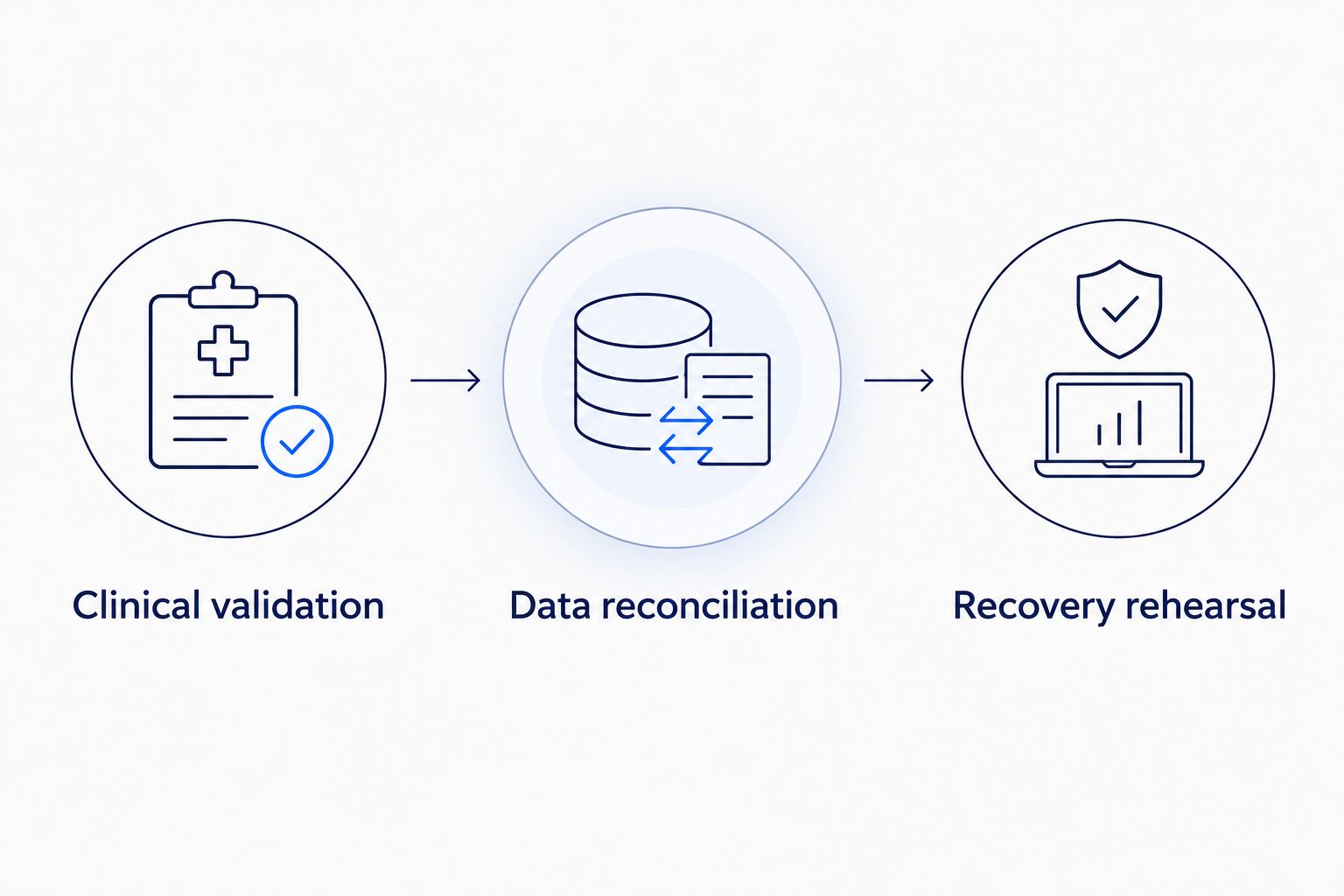
Use 3 release gates: Clinical validation, Data reconciliation, and Recovery rehearsal. These are recommended controls, not regulatory thresholds. Each gate needs an owner, evidence, and a clear pass-or-fail decision.
Distinguish application rollback from data rollback. Returning to an earlier software version does not automatically reverse records written under a changed schema. Specify which component owns writes throughout the transition.
- Restore backups and verify record retrieval.
- Rehearse rollback after database changes.
- Reconcile transactions across old and new systems.
- Verify downtime procedures with affected staff.
- Assign authority to pause or reverse deployment.
Release gradually
Begin with a bounded deployment and an explicit monitoring plan. Use existing logs, dashboards, and support channels before introducing additional operational tooling. Select a cohort that represents the workflow without exposing every department to the same change simultaneously.
A phased release has an important limitation: old and new components coexist. Define routing, write ownership, and synchronization rules so that coexistence does not create conflicting records.
Measure user-visible outcomes alongside technical performance. Track failed transactions, missing records, reconciliation exceptions, and workflow completion using your own baseline. Do not declare success solely because servers remain available.
For each 2026 release, obtain clinical and operational acceptance before expanding scope. Keep the pause decision independent of the project’s planned completion date.
- Identify the initial user or department cohort.
- Define traffic-routing and write-ownership rules.
- Monitor workflow failures and interface exceptions.
- Provide support instructions for affected staff.
- Expand only after acceptance criteria pass.
Retire safely
Create a retirement checklist before shutting down the old system. Confirm that historical records remain retrievable, downstream extracts no longer depend on the application, and retention requirements have an assigned owner.
Migration completion and application retirement are different milestones. A new workflow can operate correctly while an old reporting job still depends on the previous database.
Export documentation needed to interpret retained records, including schemas, code mappings, and relevant configuration. Verify access through the replacement or archival process with the people who actually retrieve those records.
Only then remove obsolete access, scheduled tasks, and infrastructure. Keep evidence of acceptance and retirement decisions with your operational documentation.
- Validate historical record retrieval.
- Confirm retention obligations with responsible teams.
- Disable obsolete accounts and integration credentials.
- Remove retired jobs and monitoring routes.
- Document final ownership and support arrangements.
Compare modernization options
Select an approach per application or component, not once for the entire healthcare organization. The strongest fit depends on what must change and how much workflow behavior you can validate during the transition.
| Option | Best for | Main advantage | Key limitation |
|---|---|---|---|
| Retain and harden | Supported applications with acceptable workflows | Limits behavioral change while addressing identified risks | Does not resolve deeper architectural constraints |
| Rehost | Applications needing a hosting change | Preserves much of the existing application behavior | Carries existing code and coupling into the new environment |
| Replatform | Applications needing runtime or database renewal | Changes selected foundations without a complete rewrite | Requires compatibility and performance validation |
| Refactor incrementally | Applications with separable areas of technical debt | Allows targeted improvement around retained functions | Requires careful boundaries and coexistence controls |
| Replace | Applications whose supported alternatives meet workflow needs | Removes dependence on the existing implementation | Requires data conversion, configuration, and staff adaptation |
A hosting change and a workflow replacement solve different problems. If unsupported infrastructure is the main issue, assess rehosting or replatforming before rewriting working clinical logic. If the application cannot support required workflows, moving it alone leaves that limitation intact.
Common mistakes healthcare providers make
Treating cloud hosting as compliance evidence
A hosting platform does not determine whether your access model, data flows, contracts, and operating procedures meet applicable obligations. Require evidence for the deployed configuration and your organization’s responsibilities, not a general statement about the platform.
Testing connections without testing clinical meaning
A successful API response confirms a technical interaction, not a clinically correct result. Validate identifiers, status changes, units, and display behavior with users who understand the workflow. Include exception handling in acceptance tests.
Changing every connected workflow together
Combining interface replacement, database conversion, authentication changes, and workflow redesign makes failure isolation difficult. Separate changes where practical, and document the dependencies when they must move together.
Removing the old system before proving archive access
A completed data export does not prove that authorized staff can find and interpret historical records. Test retrieval before retirement, including records with amendments, attachments, and older coding conventions.
Accepting generated code without workflow review
AI-generated changes still need security review, tests, and human approval. Knackforge’s enterprise AI positioning does not remove those requirements. Keep clinical decisions and production release authority with designated accountable people.
FAQ
What is legacy application modernization for healthcare providers?
Legacy application modernization for healthcare providers is the controlled renewal of aging software while preserving essential workflows, clinical records, and access controls. It includes retaining and hardening, rehosting, replatforming, refactoring, or replacing components according to documented needs.
Should a healthcare provider rewrite its application or move it first?
Choose the approach that addresses the documented problem with the smallest necessary change. A hosting move addresses infrastructure needs; refactoring or replacement addresses application design or workflow limitations.
Does moving a healthcare application to the cloud make it HIPAA compliant?
No, cloud migration alone does not establish HIPAA compliance. Assess the deployed controls, data handling, contractual responsibilities, and operating procedures through your privacy and security process.
Can we modernize an application without replacing the EHR?
Yes, you can modernize a connected application while retaining the EHR. Confirm supported interfaces, identifier handling, workflow behavior, and vendor constraints before changing the connection.
Is FHIR enough to guarantee healthcare interoperability?
No, FHIR does not guarantee that connected systems support identical workflows or interpret data identically. Validate the applicable implementation guides, supported behavior, authentication, and clinical meaning.
When is a healthcare application ready for migration?
A healthcare application is ready when dependencies, acceptance criteria, data handling, recovery procedures, and accountable owners are documented and tested. A deployment date is not evidence of readiness.
Where does Knackforge fit in a healthcare modernization project?
Knackforge fits enterprise planning where AI-focused operational improvement is part of the objective. Establish healthcare-specific delivery responsibilities and evidence before assigning migration or compliance work.
One last thing
Test the oldest record you still need, not just the newest transaction. Current workflow testing proves that the new application works now; historical retrieval testing proves that modernization has not made necessary records inaccessible or misleading.
Make that test part of your 2026 retirement decision. Do not shut down the old system until an authorized user can retrieve and interpret the retained record through the approved replacement or archival process.


