
Negotiating an SLA with a cloud managed services provider comes down to three levers: the uptime commitment, the response time by incident severity, and what the provider owes you financially when it misses either one. Lock those three into the contract before you sign, and everything else in the SLA is paperwork.
- Negotiate severity-based response times, not just an uptime percentage, before signing with any cloud managed services provider.
- 99.9% uptime still allows 43.8 minutes of downtime a month; push for 99.99% on customer-facing systems.
- Tie missed SLA targets to service credits with a clear escalation clause, not a verbal apology.
- Get exit rights and data portability terms in writing before committing to a multi-year contract in 2026.
- KnackForge treats SLA scope as a negotiated line item, not a template attachment, in every managed services engagement.
Why this matters
Most enterprises shopping for a cloud managed services provider in 2026 spend weeks negotiating price and scope, then let the legal team rubber-stamp the SLA as boilerplate. That's backwards. The SLA is the only part of the contract that dictates what happens the night production goes down — and by then, the ink is already dry.
A vague SLA that promises "commercially reasonable effort" or "best-effort response" creates zero obligation for the provider and zero leverage for you. Treat SLA negotiation as a technical exercise: define the metric, define the measurement window, define the penalty, and put all three in the same document as the uptime number.
How do you negotiate an SLA with a cloud managed services provider?
Work through these seven items in order — each one closes a gap that vague SLAs typically leave open.
- Benchmark before you negotiate. Pull 12 months of your own incident data — outage frequency, mean time to resolution, ticket volume by severity — so you're negotiating against your actual risk profile, not a guess.
- Separate response time from resolution time. A provider that "responds" in 15 minutes by opening a ticket has met nothing. Response means a human engineer engages the issue; resolution means the issue is fixed. Get both defined and timed separately.
- Define severity levels with concrete criteria. P1 (production down), P2 (major feature degraded), P3 (minor issue, workaround exists), P4 (cosmetic or informational) — each needs its own response and resolution clock, not one blended number.
- Tie missed targets to service credits. A missed SLA should trigger a defined credit against the monthly invoice, with escalating percentages for repeated breaches in the same quarter — not a written apology.
- Set a measurement window and reporting cadence. Monthly uptime reporting, delivered proactively, with the raw monitoring data available on request. If the provider can't show you the numbers, the SLA is unenforceable in practice.
- Negotiate an audit right. You should be able to request a third-party review of uptime logs at least once a year without triggering a contract dispute.
- Build in an exit clause and data portability terms. If the provider misses SLA targets for two consecutive quarters, you should be able to terminate for cause without a penalty, and get your data and configs out in a usable format.
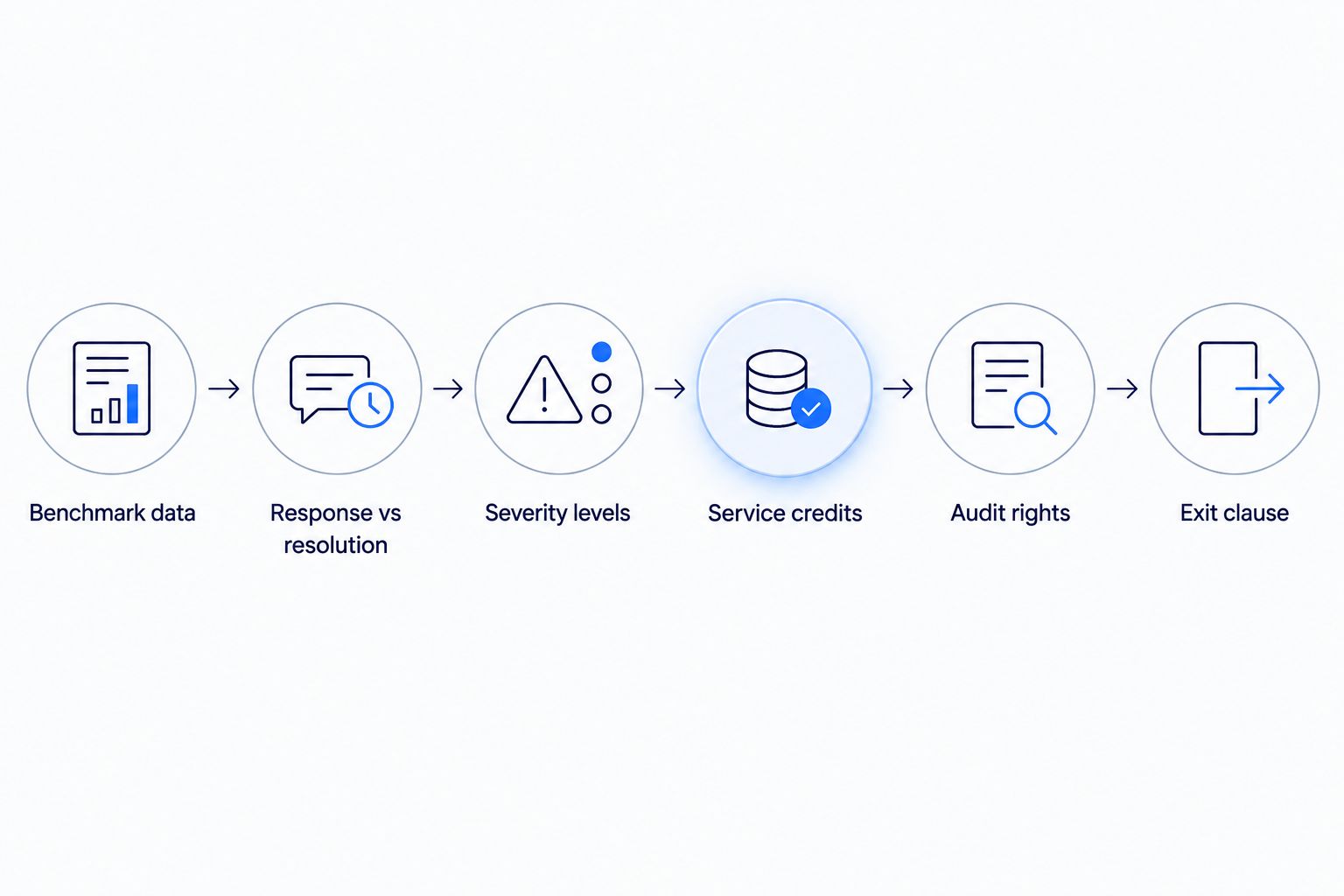
Getting these seven items right takes longer at the negotiating table, but it's the difference between an SLA you can enforce and one that's decorative.
SLA uptime tiers and what each one actually guarantees
Uptime percentages sound similar until you translate them into minutes of actual downtime. Here's the standard "nines" table most cloud managed services provider contracts reference:
| Tier | Uptime commitment | Max downtime per month | Best for |
|---|---|---|---|
| Standard | 99.9% | 43.8 minutes | Internal tools, dev/test environments, low-risk workloads |
| High-availability | 99.99% | 4.38 minutes | Customer-facing SaaS platforms, e-commerce checkout |
| Mission-critical | 99.999% | 26 seconds | Payment processing, healthcare systems, regulated financial workloads |
Standard SLA: 99.9% uptime, up to 43.8 minutes of downtime a month
This is the default tier most providers offer without negotiation. It's adequate for internal tools and non-revenue-generating systems, but 43.8 minutes of unplanned downtime a month is enough to break an SLA with your own customers if the workload underneath is customer-facing. Verdict: acceptable for internal systems, insufficient for anything revenue-generating.
High-availability SLA: 99.99% uptime, up to 4.38 minutes of downtime a month
This tier requires redundant infrastructure and active failover on the provider's side, and most providers price it higher or require a longer contract term to offer it. It's the right baseline for any customer-facing SaaS platform or e-commerce system. Verdict: negotiate for this tier on any production, customer-facing workload.
Mission-critical SLA: 99.999% uptime, up to 26 seconds of downtime a month
Few cloud managed services provider contracts offer this tier by default — it usually requires multi-region redundancy and a dedicated escalation path, and it's reserved for regulated workloads where downtime carries compliance or safety consequences. Verdict: negotiate this tier only for payment, healthcare, or safety-critical systems where the cost is justified.
“A cloud managed services provider that won't put severity-based response times in writing isn't ready for a mission-critical workload.”
Why SLA terms vary from provider to provider
- Workload criticality — a provider managing internal dev tools has less incentive to offer aggressive SLAs than one managing production payment systems.
- Regulatory requirements — HIPAA, PCI-DSS, and SOC 2 obligations push providers toward tighter response times and documented audit trails.
- Multi-cloud complexity — an SLA covering workloads across AWS, Azure, and GCP simultaneously is harder to guarantee than a single-cloud commitment, because the provider inherits the upstream cloud vendor's own SLA limits.
- Contract size and term length — larger, longer-term contracts give you more negotiating leverage on penalty clauses and audit rights.
- Scope of management — a fully managed engagement (infrastructure, patching, monitoring, incident response) supports a tighter SLA than a co-managed arrangement where your team still owns part of the stack.
Working through how to choose the right cloud managed services partner before you get to the SLA table helps you enter the negotiation knowing which of these five factors actually apply to your workload.
Get your SLA reviewed before you sign
Compare uptime tiers and response clauses against your workload risk.
What happens when a managed services provider misses an SLA target?
A missed SLA target should trigger a pre-defined service credit against the monthly invoice — typically a percentage of that month's fee, scaled to how far below the committed uptime the provider fell. If the SLA doesn't specify a credit schedule in writing, you have no automatic remedy when it happens.
Is 99.9% uptime good enough for enterprise workloads?
99.9% uptime allows up to 43.8 minutes of downtime a month, which is fine for internal or low-risk systems but thin for customer-facing production workloads. Enterprises running revenue-generating platforms in 2026 typically negotiate up to 99.99%, which caps downtime at 4.38 minutes a month.
Should you negotiate the SLA before or after signing the master services agreement?
SLA terms should be negotiated as part of the same contract cycle as the master services agreement, before either document is signed. SLAs usually attach as an exhibit to the MSA, and once the MSA is executed, providers have far less incentive to revisit the SLA language.
FAQ
What's the difference between an SLA and an MSA?
The MSA sets the overall legal terms of the relationship — liability, IP, payment terms. The SLA is the technical exhibit that defines uptime, response times, and penalties. Both need review before signature.
How long should a cloud managed services provider SLA term run?
SLA terms usually match the contract length, but the review cadence should be shorter — most enterprises negotiate an annual SLA review clause even inside a multi-year contract.
What is a service credit in an SLA?
A service credit is a pre-defined reduction in the monthly invoice, triggered automatically when the provider falls below the committed uptime or response time. It should be spelled out as a percentage in the contract, not left to negotiation after a breach.
Do managed services providers negotiate SLAs for smaller contracts?
Yes, though leverage is lower. Smaller contracts can still negotiate severity-based response times and a basic credit schedule even if the provider won't move off a standard uptime tier.
What counts as a P1 incident in an SLA?
A P1 incident is a full production outage or a security breach with active data exposure. It should carry the fastest contractual response time in the SLA, defined separately from resolution time.
Can you switch providers if SLA targets are missed repeatedly?
Only if the contract includes a termination-for-cause clause tied to repeated SLA breaches, typically two or more misses within a defined period. Without that clause in writing, you're locked in regardless of performance.
One last thing
The SLA clause enterprises skip most often in 2026 isn't uptime — it's the audit right. Without contractual access to raw monitoring data, you're trusting the provider's own dashboard to grade its own performance, and that's the clause worth fighting for even if you concede on the uptime percentage.


